2. Sites
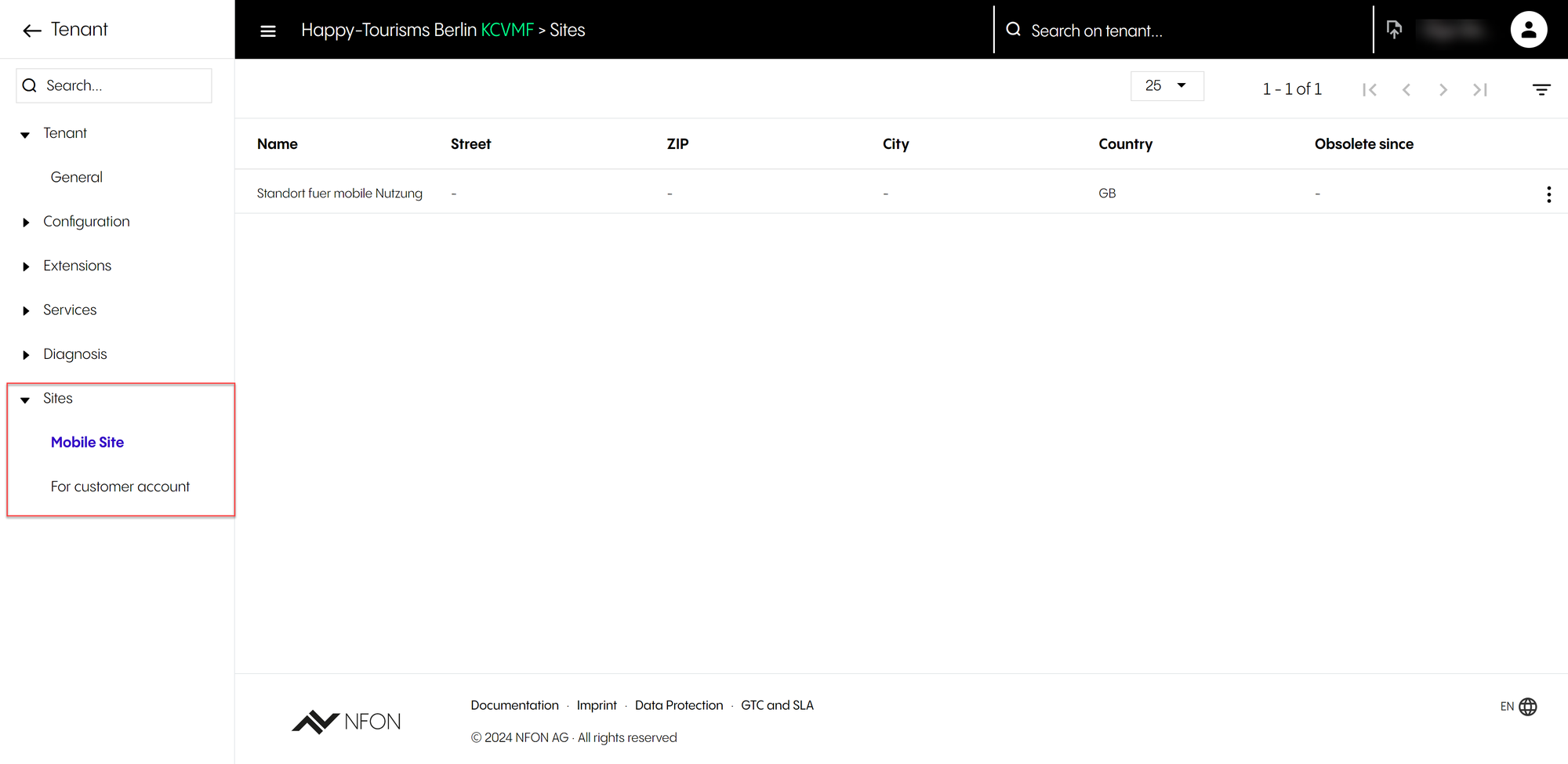
Under Sites, there are two main sections of configuration:
Mobile site
For customer account
Under each section, you can see a list of all sites configured for the customer.
Sites are used in devices and trunks (DID / DDI ranges) configuration. All devices and trunks must be attached to a site.
IMPORTANT
Make sure that sites are configured correctly before starting to configure extensions, devices or services.
Changing site settings will most likely initiate a reboot of all devices configured against the site!
NOTE
Note that phone extensions are not linked to site settings, however, devices attached to phone extensions are!
Phone extensions will use the trunk / DID range settings when making outbound calls, except when making a call to emergency services. In this instance, the telephone system will use the site address to provide location information to the emergency services.
Before configuring sites
Before configuring the sites, make sure that
all the customer sites are listed in the Administration Portal.
sites are added into the portal by NFON customer services, as the address details must be properly validated. This is mainly because site configuration is used when a call is made to the emergency services.
It's the responsibility of the customer and the reseller / partner to ensure that all sites are configured properly.
NOTE
Note that if a site address is removed from the Admin Portal, each device associated with it will have its site set to blank. This can cause issues, so be careful when requesting these changes.
If a site is missing, or address details are incorrect, please contact NFON customer services, who will add new sites or change details for you.
Site configuration is used for routing calls to the emergency services. Check that the address details for all sites are correct and contact NFON if this is not the case.
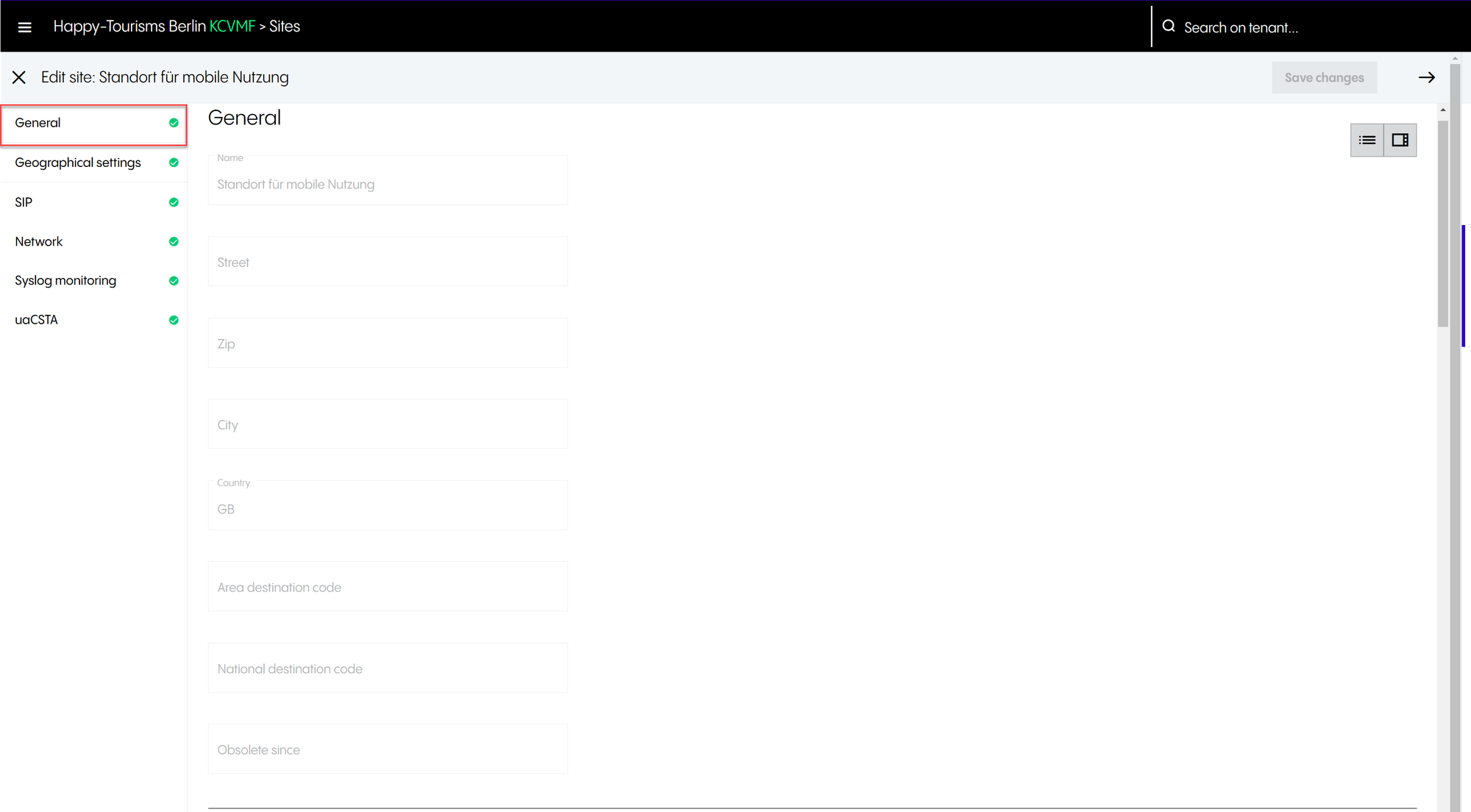
2.1 General
General
When a customer account is created by NFON, the first site created is always the mobile site. The mobile site is used to associate devices such as the NFON Mobile client, which, by definition, are roaming.
Please remember that the first and default site that is created is always a mobile site, and you cannot change the details or country of this site.
2.2 Geographical settings
Sites: Geographical settings
Under Geographical settings, you have the following options:
Public space use | Reduces the function range of the telephone handset. Typically, the following functions will be disabled when the Public space use option has been selected:
Please note that
|
Automatic hot-desking | Applies to softphones and allows users to log in to different workstation devices rather than being assigned to a specific location. When you log in to a different softphone, it automatically becomes your primary device. This feature is similar to Remove other softphone devices when logging into a softphone under Extensions. The difference is that automatic hot-desking does not log out other softphones when set at the site level. |
Dial prefix | Please note that in the UK and Ireland, this setting needs to be changed from 0 to 9. Most other countries use 0 to get an outside line. Please note that NFON softphone clients, Skype for Business and NFON mobile applications do not require an outside line prefix as this will be added automatically. Desk phones, however, do. This is mainly because some desk phones are incapable of holding complex dial rules settings, and it would be impractical for end users to have a different experience depending on the desk phone model they are using. |
Language | Can be inherited from tenant configuration. In this case, select Default. |
Time zone | Can be inherited from tenant configuration. In this case, select Inherit tenant configuration. The time zone setting will be used by devices that are configured against the site and will ensure that the phone display and the call history logs show the correct time information. |
2.3 SIP
Sites: SIP
Under SIP, you have the following options:
SIP transport protocol | It is similar to what is available under Tenant > General. However, this setting can be overwritten on a per-site basis, if required. You have the option to inherit the SIP settings from those you configured under Tenant, or you can overwrite these settings by selecting UDP or TLS. Please note that the TCP option will also be shown if it has been globally configured by NFON. When selecting TLS, all NFON-certified devices that support SRTP and are configured against this site will start encrypting calls. TLS and STRP are different but work together to provide end-to-end voice encryption. TLS encrypts the SIP signalling (essentially the setup of the calls), whilst SRTP encrypts the payload (e.g. audio or video). Together, they keep the entire call encrypted from start to finish. Please note that:
|
Codec profile | Changes the codec profile between Standard and HD codec. External calls will most likely fall back to standard codec (G.711) as their default, as not all PSTN carriers support high definition. It is advised that you keep it as Standard G.711. Please note that NFON only supports the following codecs:
|
Enable reinvite | Read-only and not configurable at a customer level, and can only be changed by a reseller, distributor or NFON Support. Keeps internal calls in the local (company) network. |
NAT | Read-only and not configurable at a customer level, and can only be changed by a reseller, distributor or NFON Support. Please note that most phones will need NAT (Network Address Translation) enabled to function properly. |
2.4 Network
Sites: Network
Under Network, you have the following options:
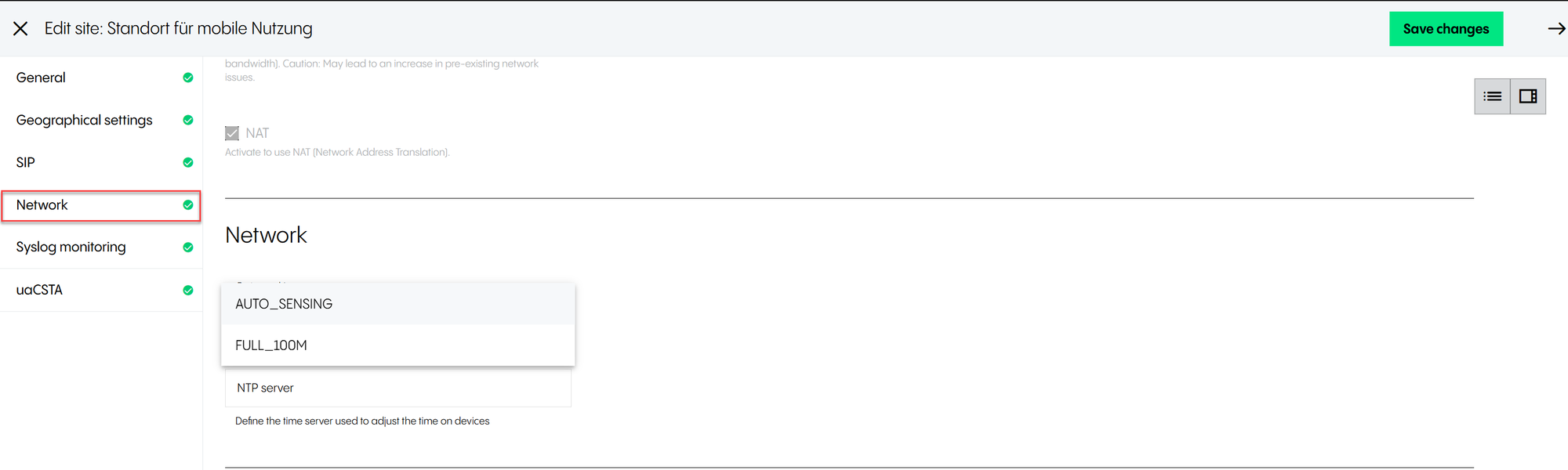
Port speed | Defines the port speed of desktop phones. Auto_Sensing is the default setting and can be changed to Full_100M if required. |
NTP server | Defines the time server used to adjust the time on devices. |
2.5 Syslog monitoring
Syslog monitoring
Syslog monitoring allows customers to collect traffic data from devices, which Support teams can use later for troubleshooting. Note that this is only applicable for physical devices.
Under Syslog monitoring, you have the following options:
Level | Defines the monitoring level. You can select between Off, Detailed, Minimal and Moderate depending on your monitoring needs. |
Server | Internal/external IP address/hostname of a syslog server to collect logfiles. Please note that:
|
Until | Sets the end date for collecting logfiles. This prevents the server from being filled with potentially large data files, in particular, when the level is set to Detailed. |
2.6 uaCSTA
uaCSTA
The uaCSTA configuration is used by some NFON CTI products.
Under uaCSTA, you have the following options:
Server | Hostname or IP address of the uaCSTA server. |
Port | Defines the port (number between 1 and 65535). |
Protocol | Selects the protocol used to connect to the uaCSTA server. You can select between TCP, UDP and TLS. |
Password | Defines the password used to connect to the uaCSTA server. |