3. Calls & Voicemails
Calls
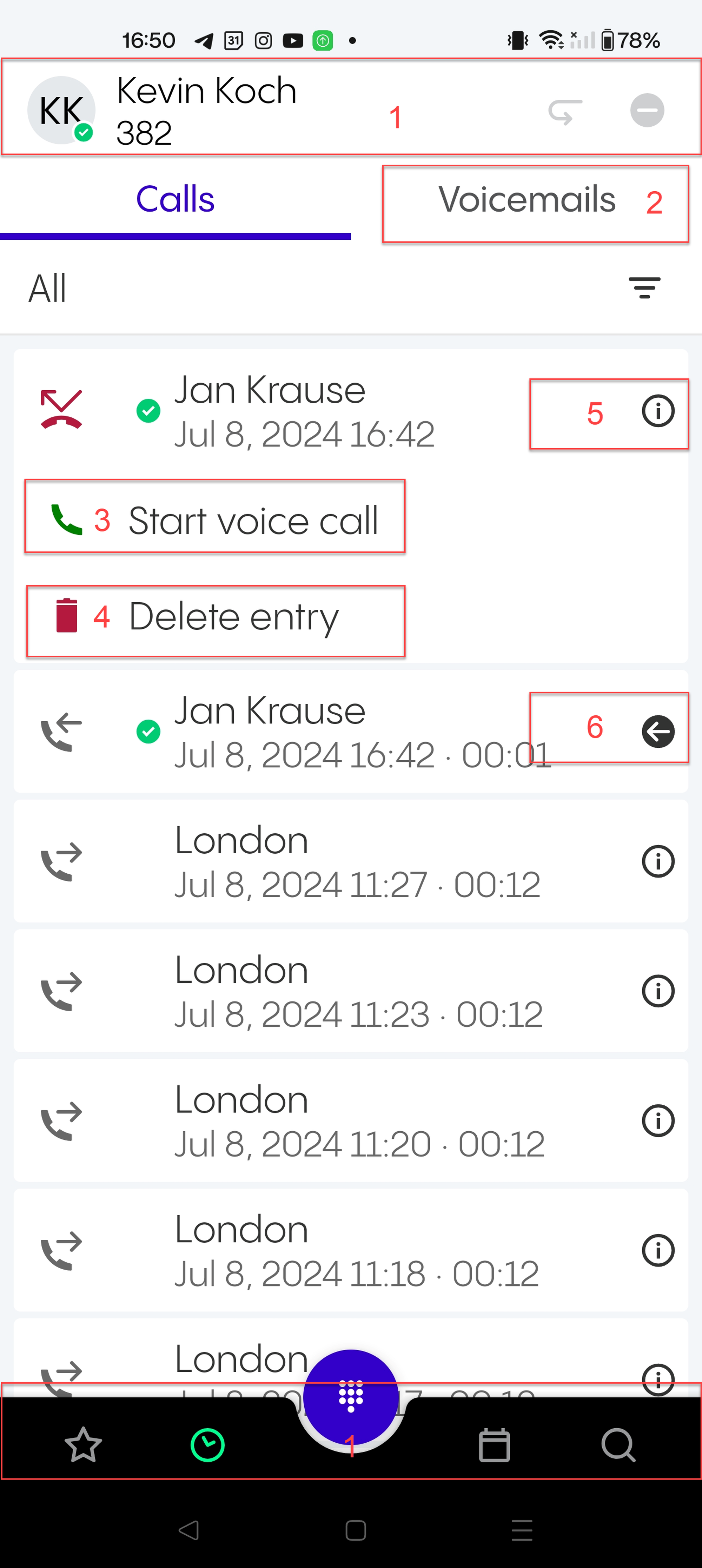
The Calls tab shows a list of recent calls. It is updated automatically; however, you can manually update it by swiping from top to bottom.
In this view, you can:
Perform the operations described in Favourites: Overview
Switch to the Voicemails tab
Start a call
Tap on a call entry and select Start voice call.
Delete a call
Tap on a call entry and select Delete entry.
See information about the caller and when the call was made
See that the call has been transferred.
If you click on the arrow, you can see who the call was transferred by.
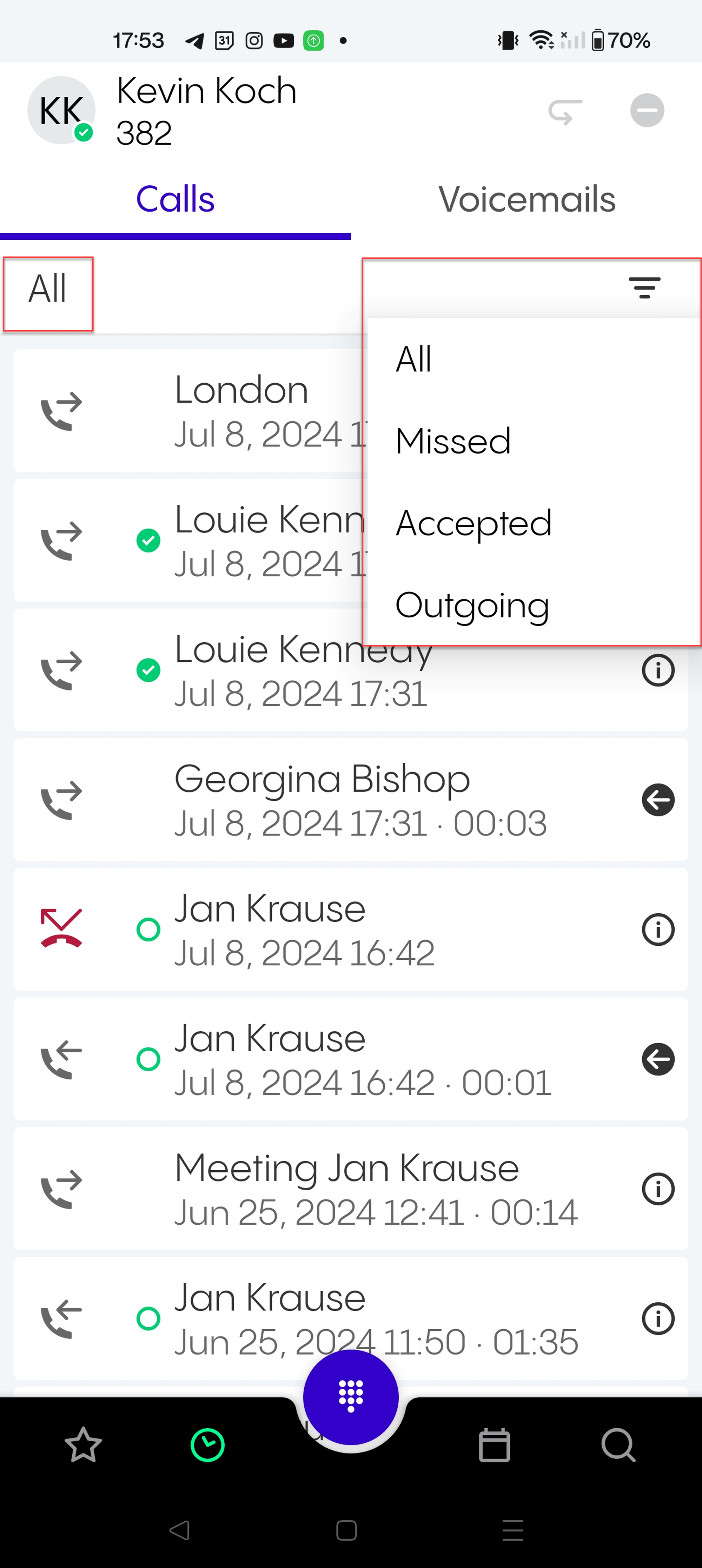
You can use the filter to show the calls as follows:
All
Missed
Accepted
Outgoing
The current filter option is shown on the left (All in the example).
Voicemails
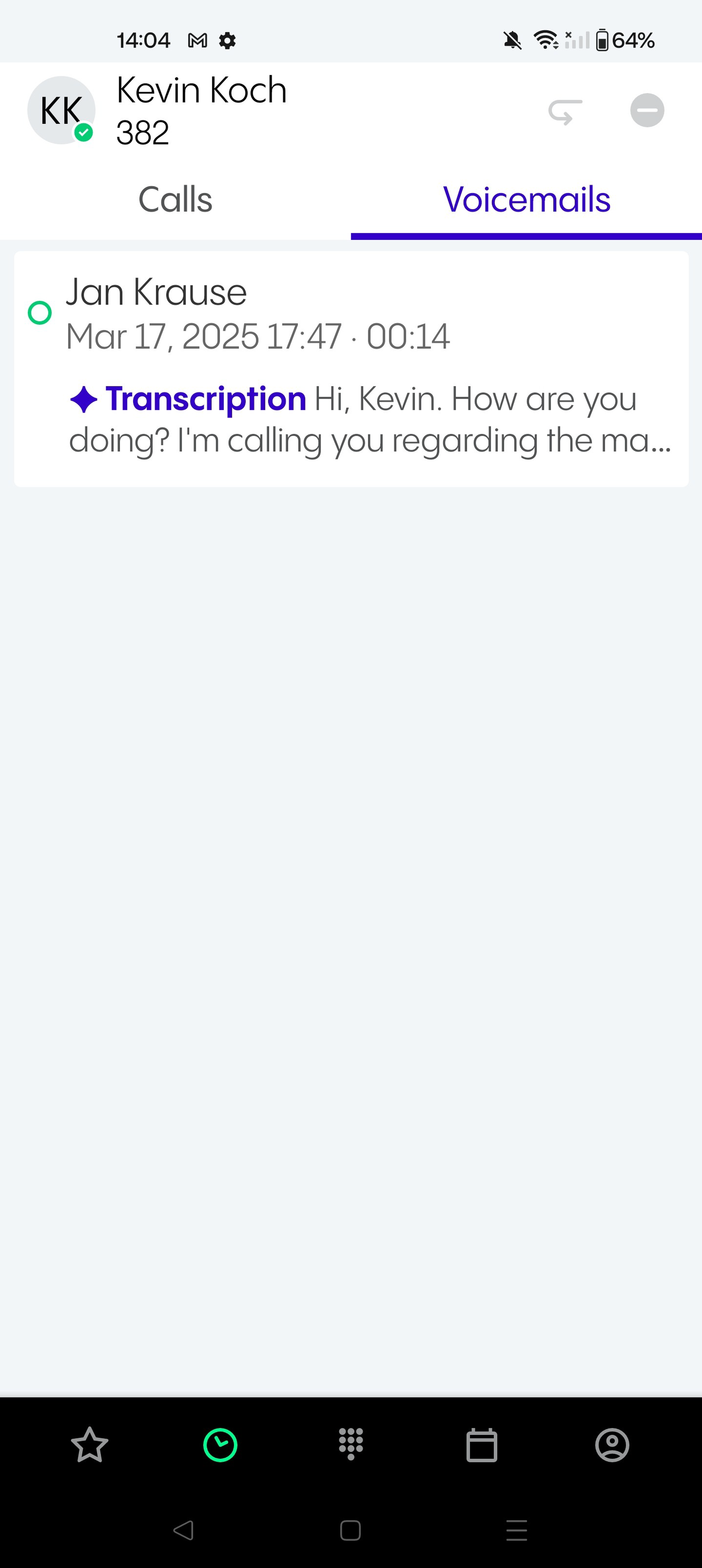
In the Voicemails tab, you see the list of the voicemails.
In this view, you can see who left the voicemail and when.
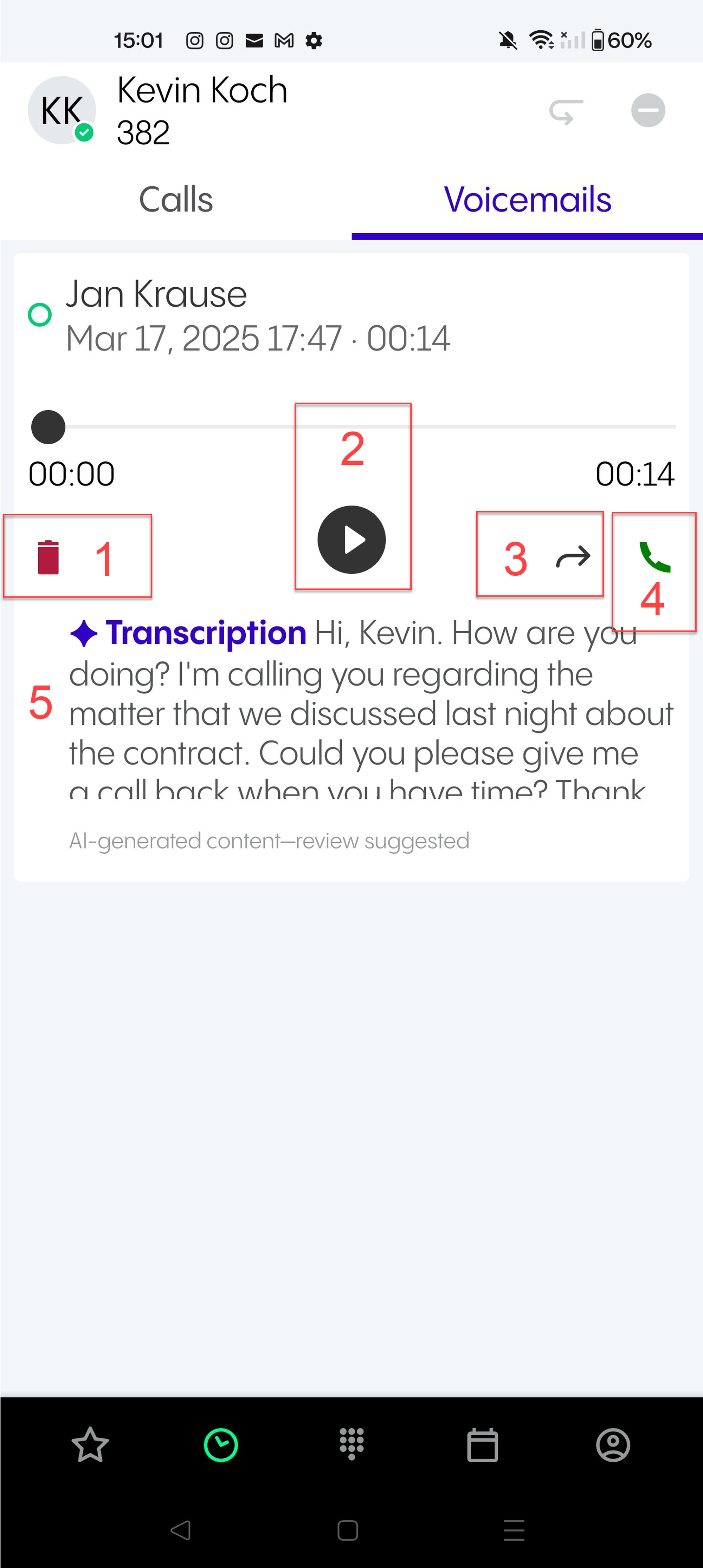
Tap on a voicemail message to:
Delete the message
Play the voicemail message
Forward the voicemail per email (a forwarding window appears)
Call the person who left the voicemail
See the AI-generated voicemail transcription if this option has been activated in the Admin Portal, see Voicemails,Geographical settings and Call handling.