3. Managing licenses
Viewing license information
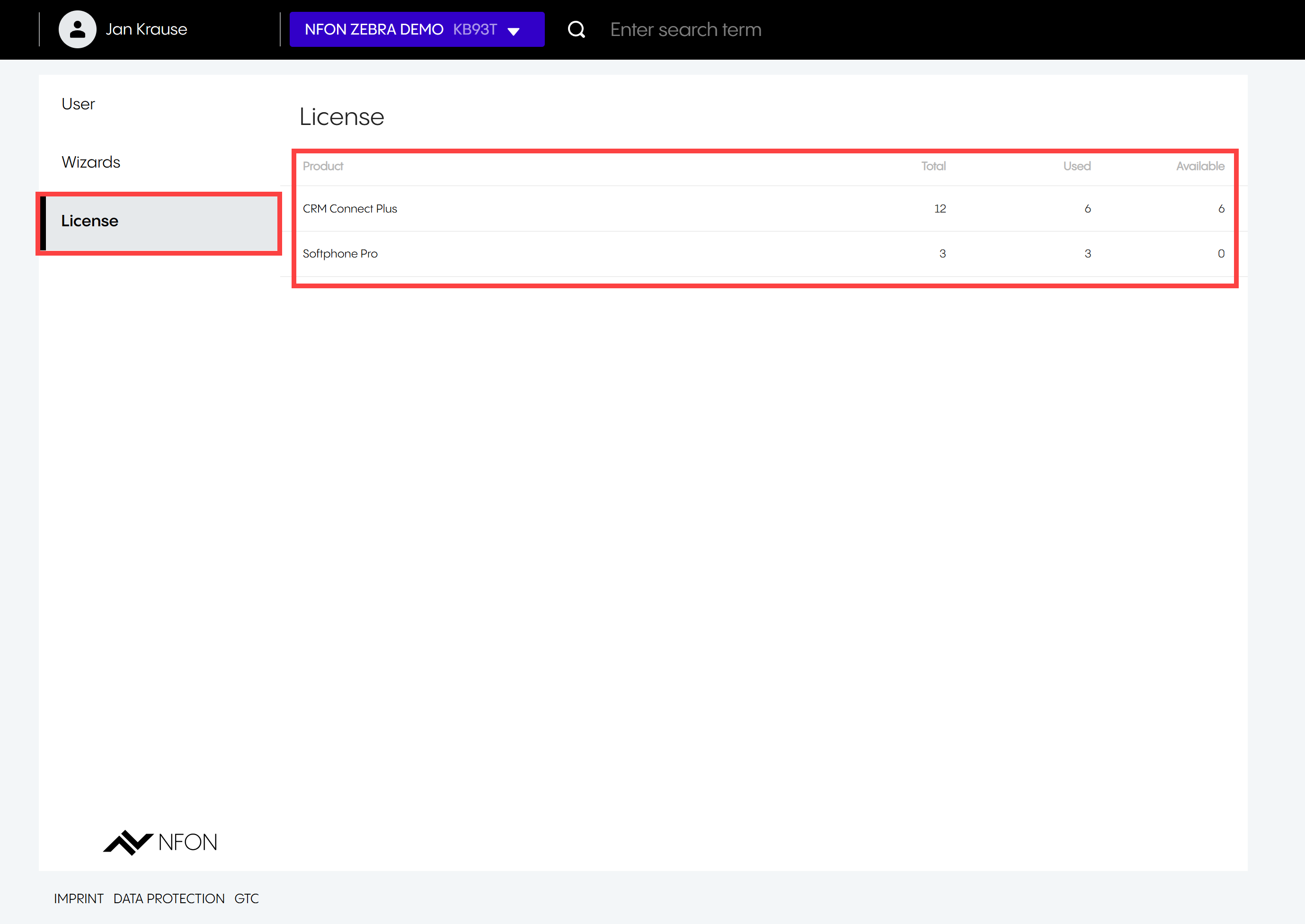
To access licensing information:
Click License.
⇒ You will see how many product licenses are in use or available, along with the total number of licenses.
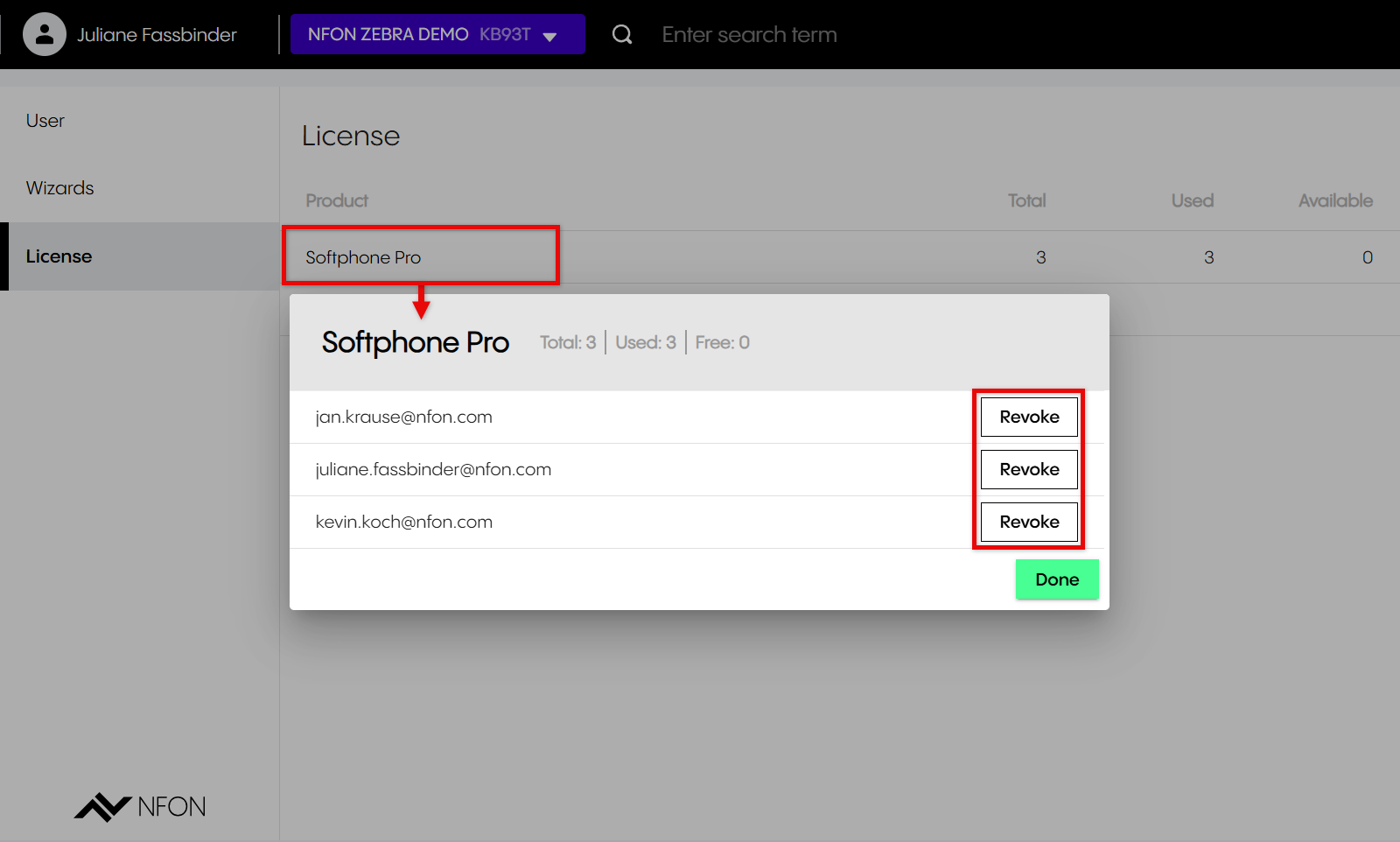
Revoking user licenses
To revoke a license:
Click on a product (in the example here: Softphone Pro) to see which users have licenses.
Click Revoke to remove the license for this product from a user.
You can also revoke a license from User -> Edit (pencil icon  ) -> Permissions.