D. Identifying a Phone
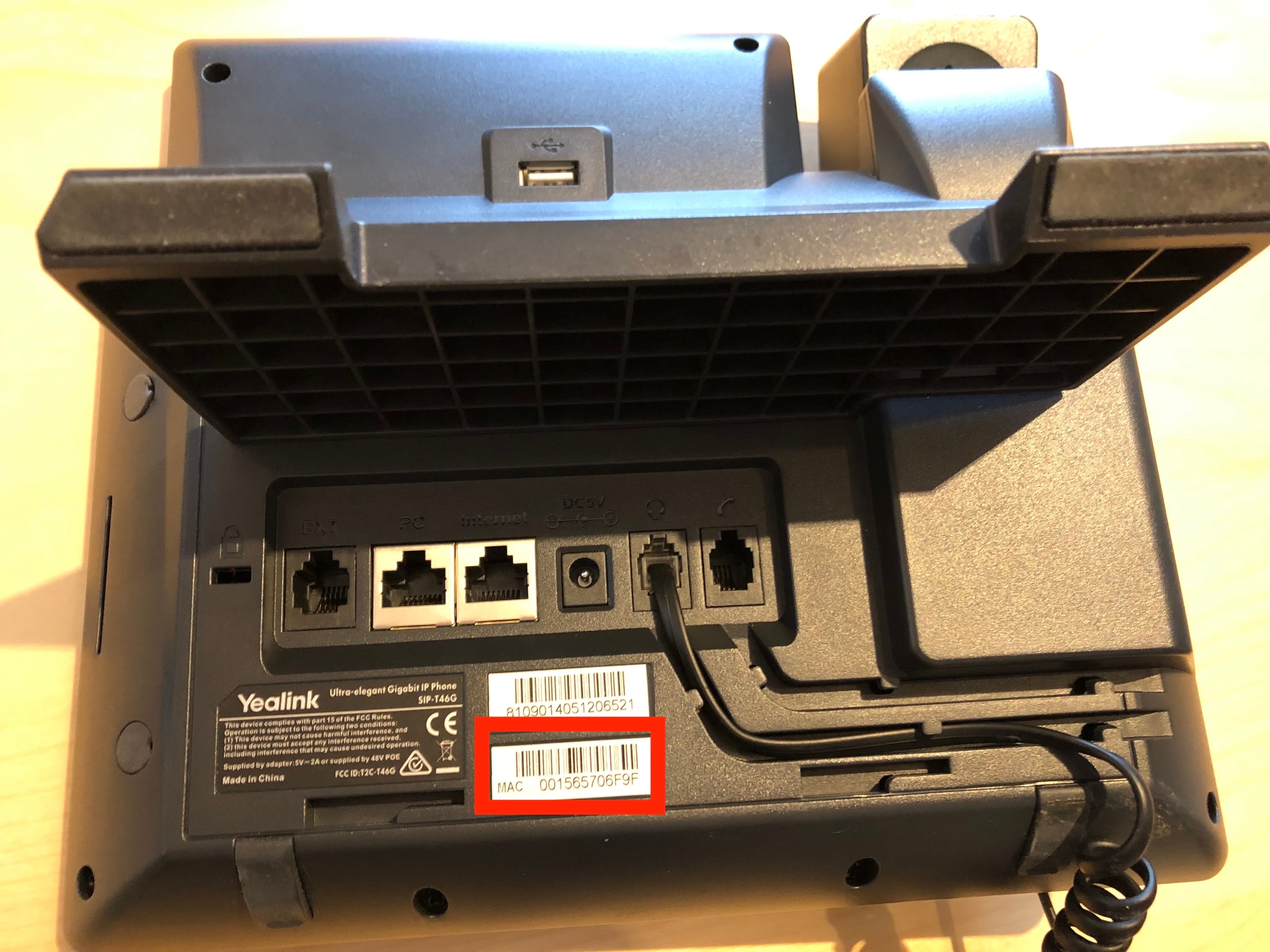
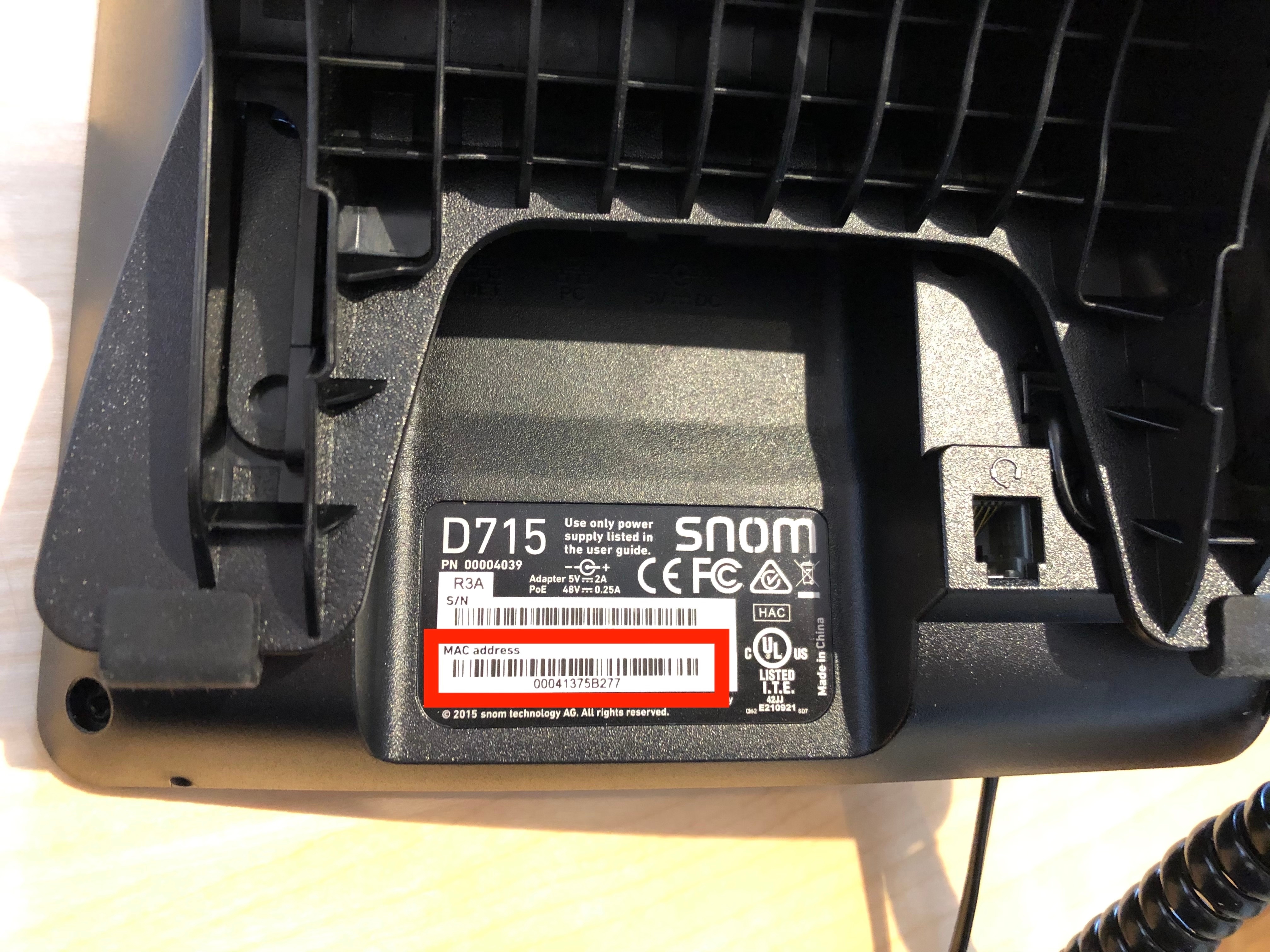
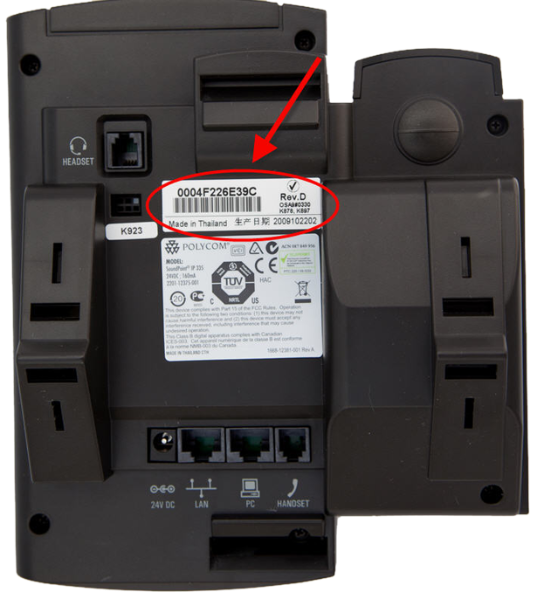
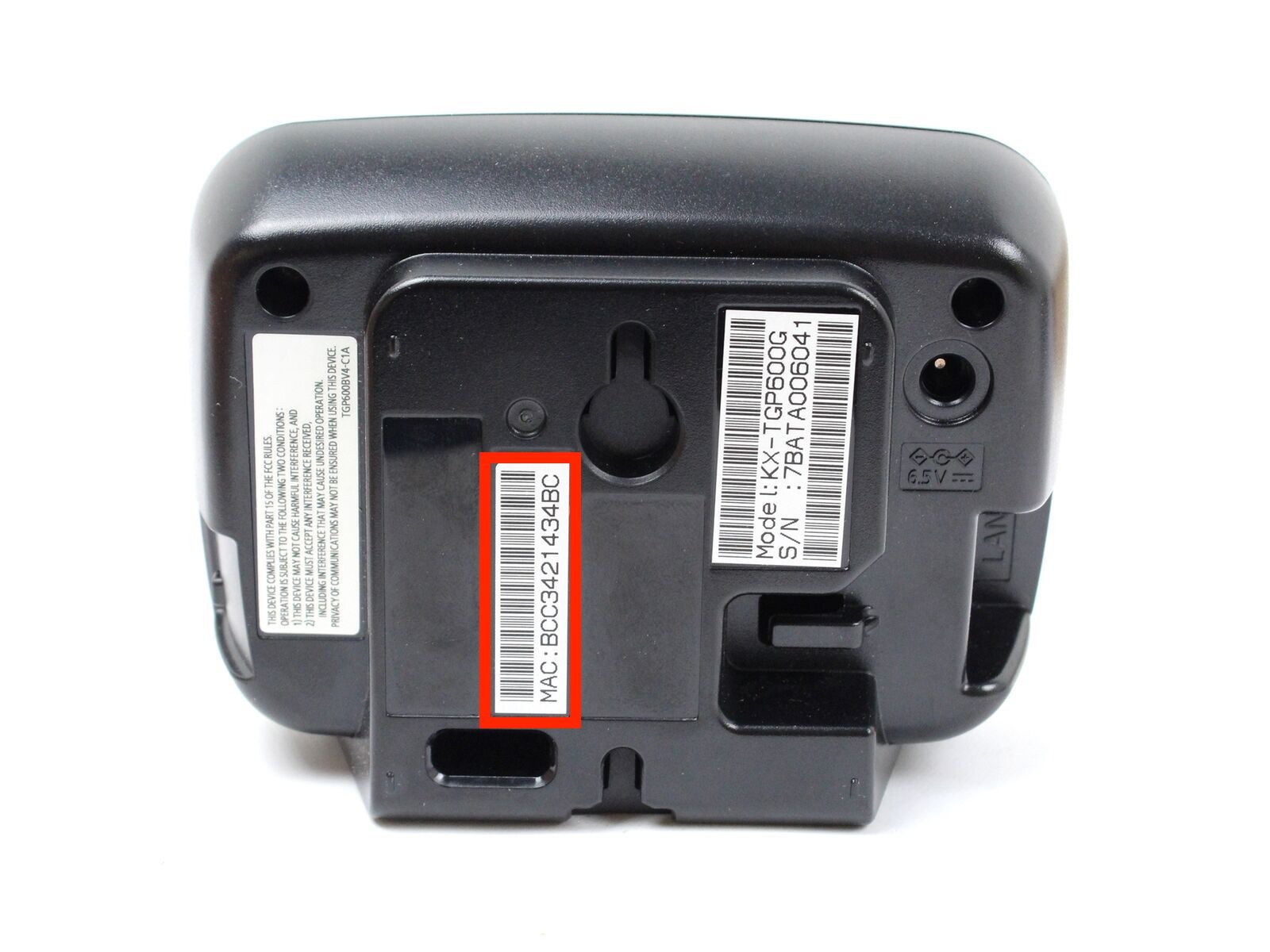
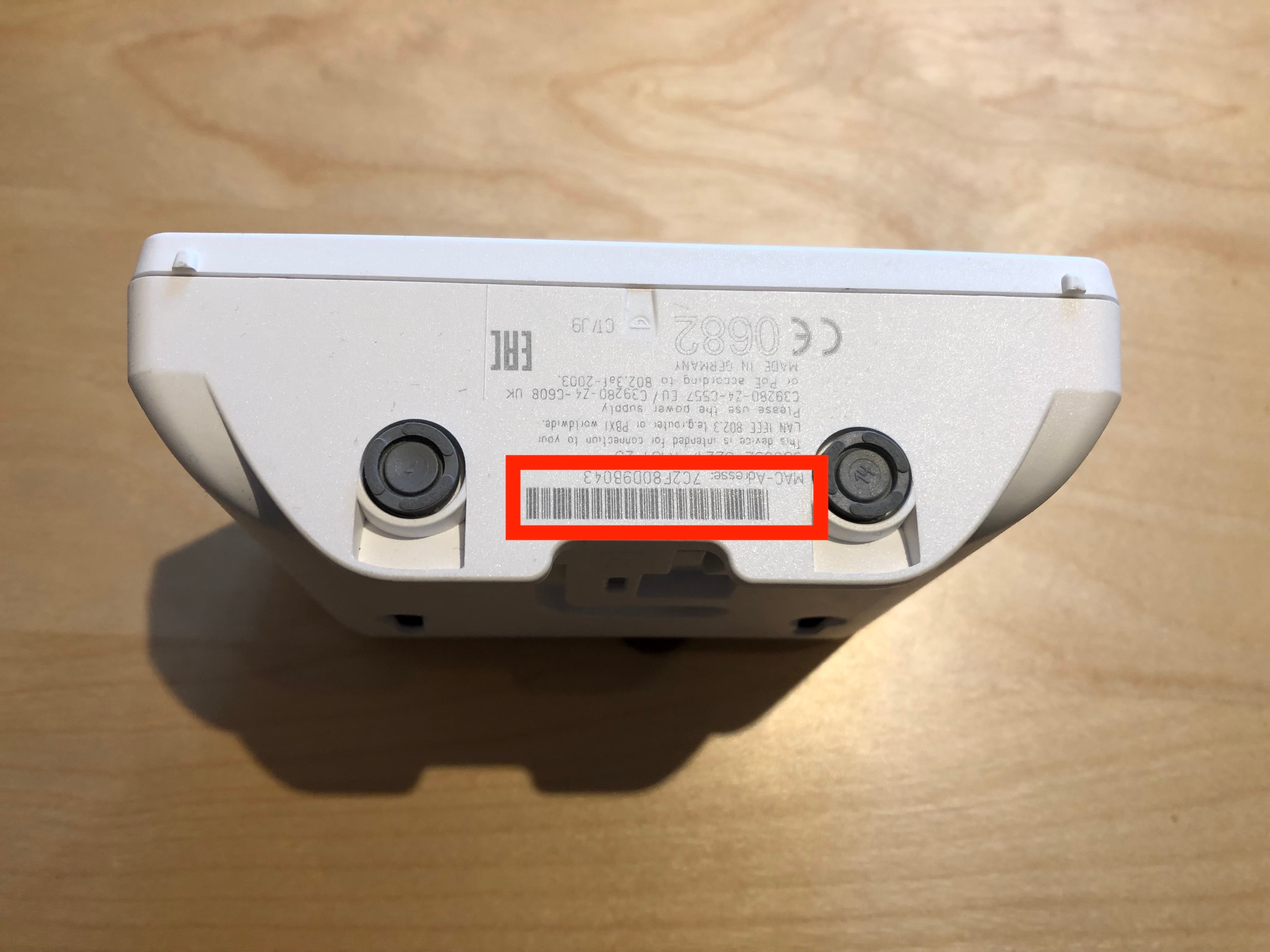
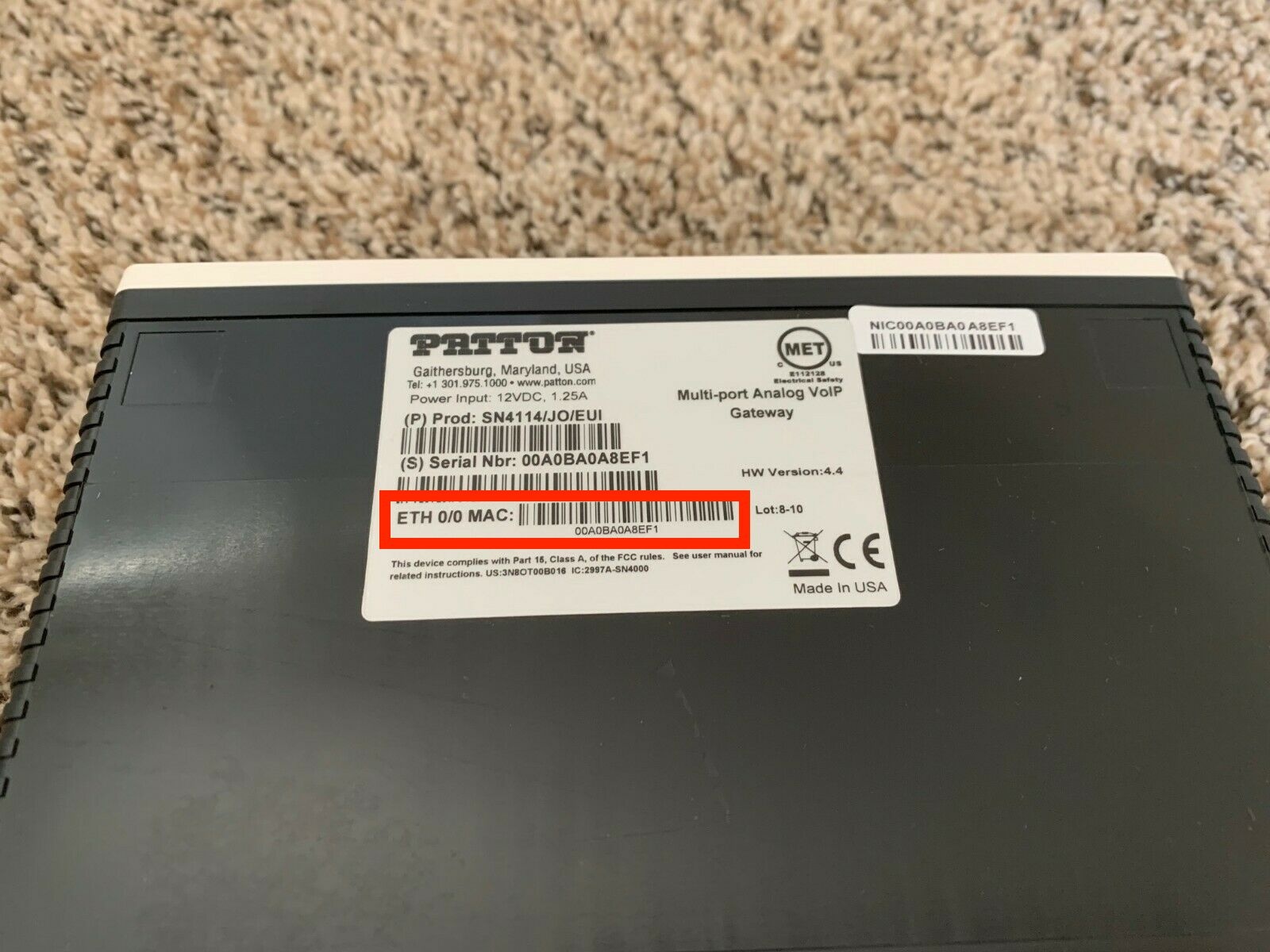
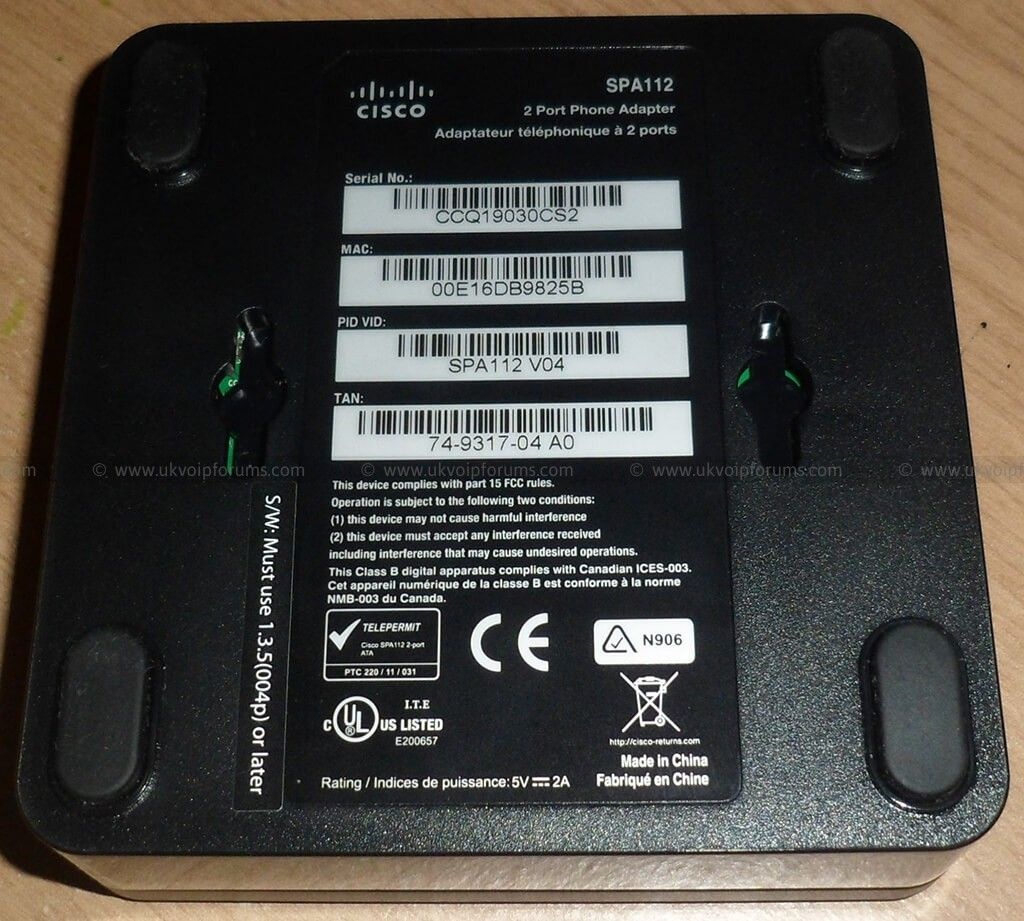
In order to provide a user with the correct PAP, one will need to know the MAC address of a particular device. On most phones, the MAC Address can be found via the device own on-screen menu (in the same menu than the IP address). Where available, this can quickly be accessed via a softkey while the device is in an "authentication needed” state. On devices where such an option is not available, or devices that don’t have a screen at all, the MAC address can usually be found on a label on the phone itself. The label is often located at the back of, or underneath, the device and will be printed below a barcode. The MAC address is a sequence of 12 hexadecimal digits (numbers and letters), sometimes split into 6 groups of 2 characters, separated by a dash or a colon. For instance:
1a2b3c4d5e6f
1a:2b:3c:4d:5e:6f
1A-2B-3C-4D-5E-6F
Manufacturer | Link to the manual where available | Examples where to find the MAC address on the device | |
Yealink | Yealink T19P E2, T41P, T42G, T46G, T48G, T41S, T42S, T46S, T48S, T52S, T54S, T53, T53W, T54W, T57W manual |
| |
snom | snom D305, D315, D345, D375, D385 manual |
| |
Poly |
| ||
Panasonic |
| ||
Gigaset |
| ||
Patton |
| ||
SPA112 |
|