1. Making a call
Making a call
In order to initiate a call, simply click on any of your favourites, call history or search result. In case you want to dial a specific number, open the dial pad and type the number you want to dial.
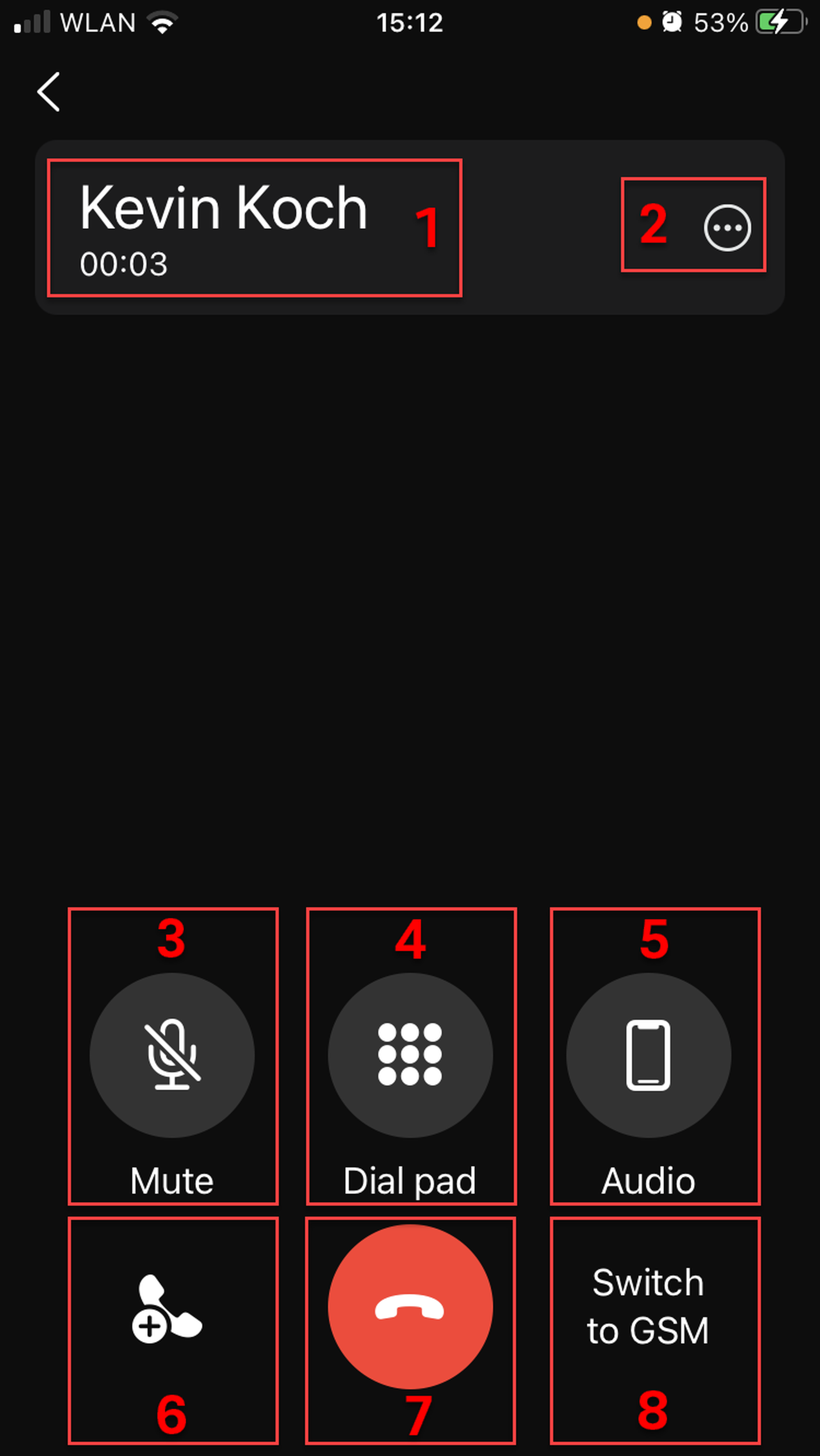
When in a call, you can
See who you are in a call with and for how long
Open the options for the call
Mute the call
Open the dial pad
Select the audio output
Add another call
End a call
Switch to GSM (if you have registered a mobile phone number)
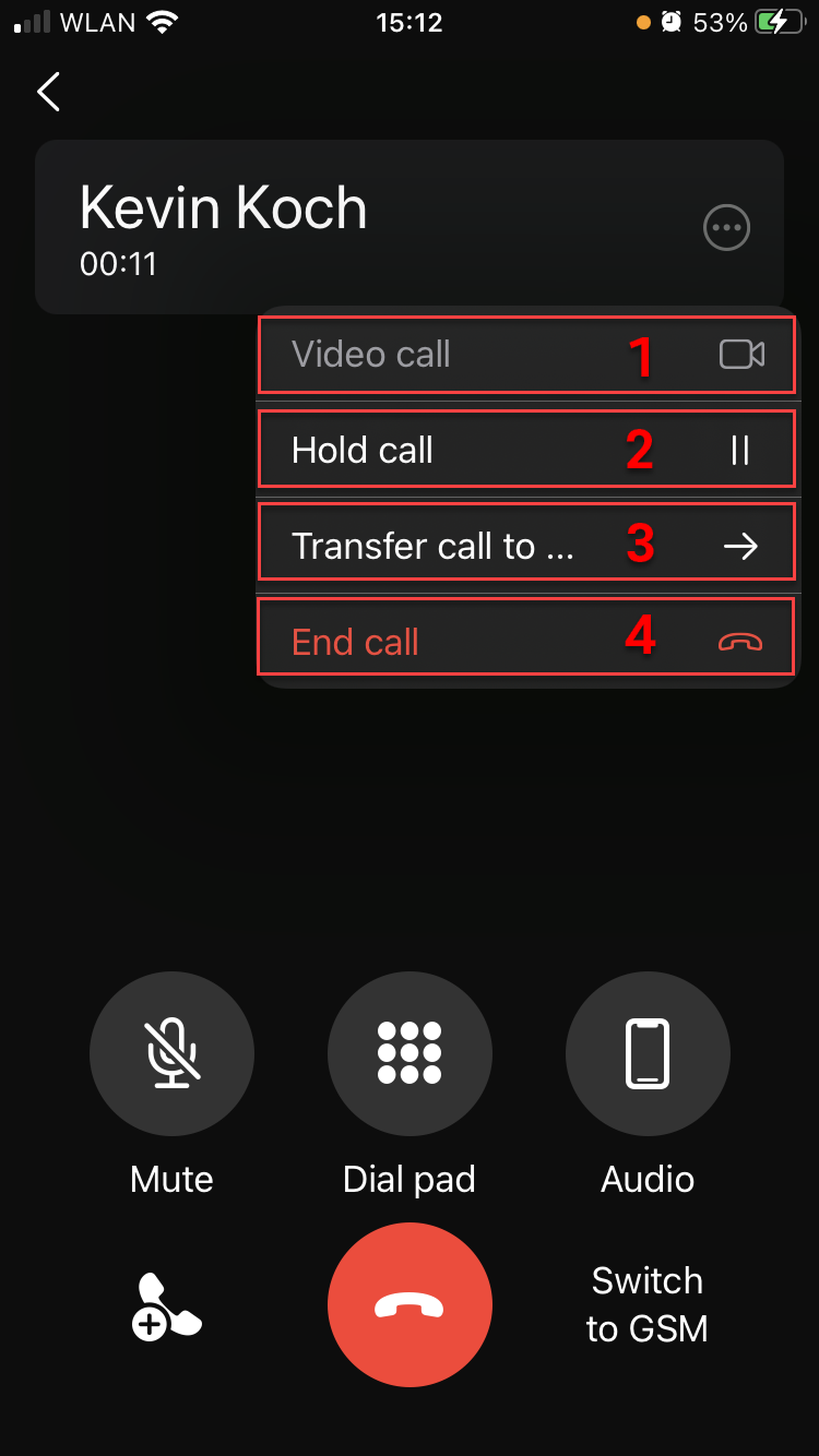
Options in a call
If you tap the options button (2 in the previous image), you can
Switch to a video call
Hold the call
Transfer the call
End the call