3. Skype for Business Plugin
On default, the NCTI standard client is provided with a Skype for Business plugin enabeling synchronising the functionality of the client with Skype for Business.
The plugin connects automatically the client with Skype for Business after successful installation. Functions like instant messaging and presence managmeent can thus be combined with your telephone system.
Supported versions are
Lync 2010
Lync 2013
Skype for Business (Office 2016)
Note
The Basic version of Lync (Lync Basic 2010 and Lync Basic 2013) are not fully supported. E.g. the function "NFON Call" is not available for Lync basic versions.
Calling with Skype for Business
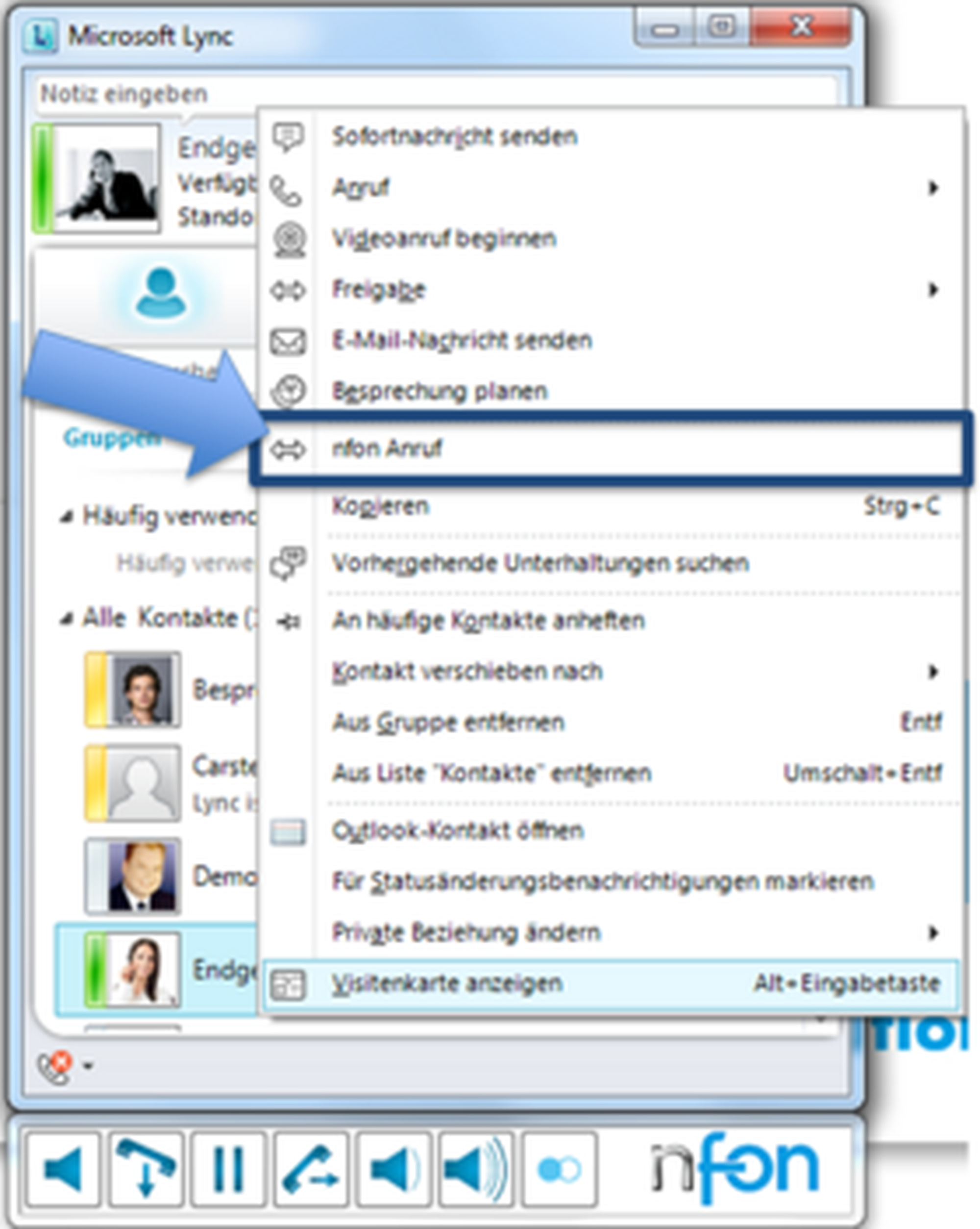
- To perform a call via Skype for Business, click with a right-click on the contact and choose NFON call.
⇒ Your telephone starts a connection with the contact.
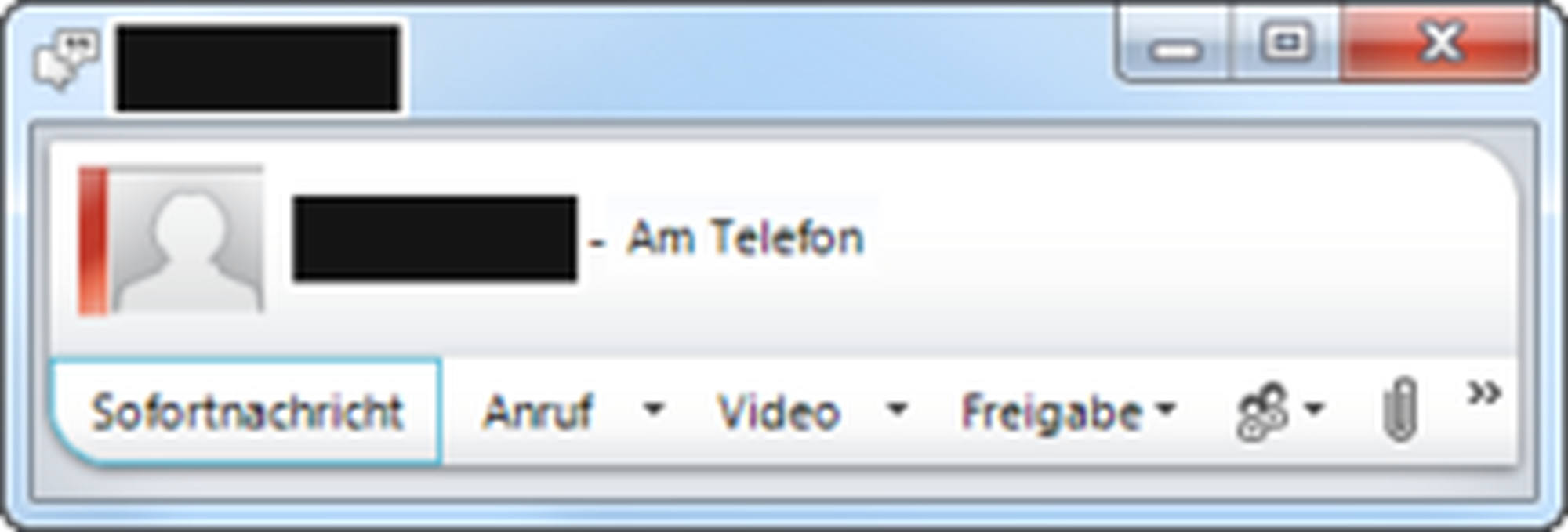
Your presence state adapts automatically while you make a call. The state is displayed next to the profile picture with a red bar. A green bar means the line is unoccupied.
During a conversation calls can be managed via the computer using the NFON menu bar. The menu bar is located at the bottom of the Skype for Business Window.

Overview
Symbol | Description | |
| Line Key A new line will be opened using the line key. | |
| End key End the current conversation using the end key. | |
| Hold key Set the current conversation on hold using the hold key. | |
| Transfer key Transfer conversations to another party. | |
| Volume key During a conversation you can highten or lower the volume of the call. When not in a conversation, the keys can control the volume of the ringtone. |


Note
The client does not support Mitel (formerly Aastra) and Panasonic system telephones with all functionalities. The menu bar shows only those functions that can actually be used.