1. Overview of keys
Yealink CP925
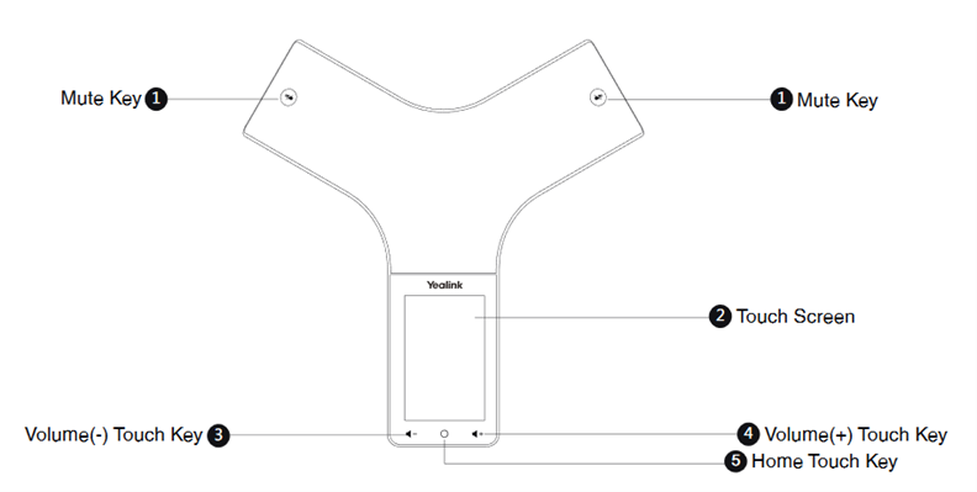 |
Pos. | Description | Feature |
1 | Mute Key |
See additional information in the table below (= Mute Key LED Indicators) |
2 | Touch Screen | Shows information about calls, soft keys, time, date, and other relevant data. |
3 | Volume(-) Touch Key | Lowers the volume of the speaker, ringer, or media. |
4 | Volume(+) Touch Key | Increases the volume of the speaker, ringer, or media. |
5 | Home Touch Key | Returns to the idle screen. |
6 | USB Type-C Port |
|
7 | Security Slot | Allows you to connect a universal security cable to your phone so you can lock down your phone. The phone will not be removed after locked. |
Mute Touch Key LED Indicators
Ref. | Key |
Solid red | The phone is initializing. The phone is muted. |
Flashing red | The phone is ringing. |
Solid green | The phone is placing a call. There is an active call on the phone. |
Off | The phone is powered off. The phone is idle. |