6. Conference
Please note that the Conference tab is not available in the menu by default.
Note
Please note that the Conference tab is not visible in the menu on the left by default, unless you have subscribed to a conference.
In order to subscribe to a conference, you need to know the conference name or extension number and the conference PIN.
This information is to be found in your conference invitation.
Joining a conference
To join a conference that you have not subscribed to, you need to know the conference name or the extension number, and the conference PIN.
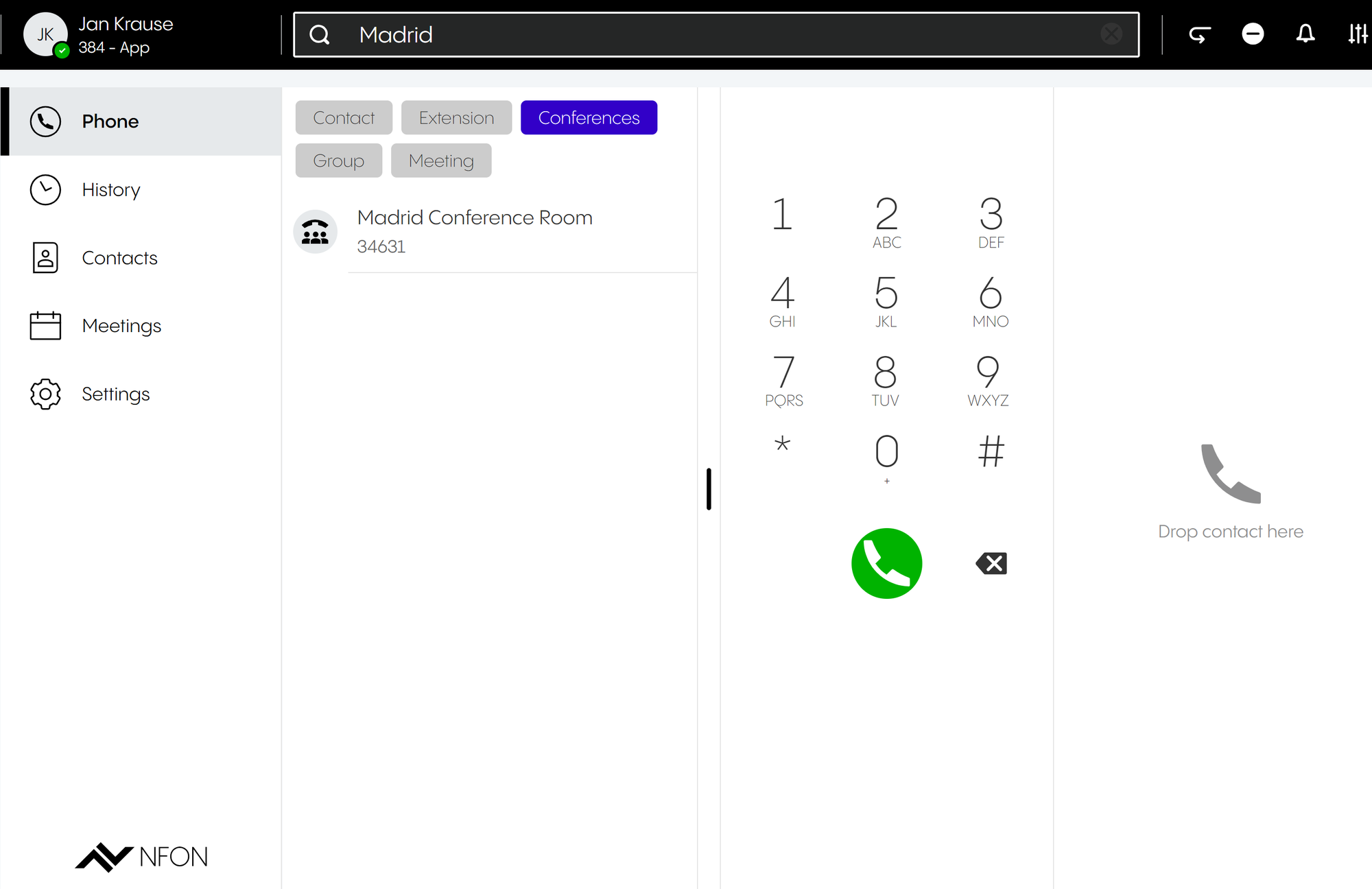
Enter the conference name or extension number in the search bar.
Click on Conferences.
Double-click on the conference or press Enter to join the conference.
⇒ You will be asked to enter the conference PIN.
Enter the conference PIN.
⇒ You have now joined the conference.
Subscribing to a conference for the first time
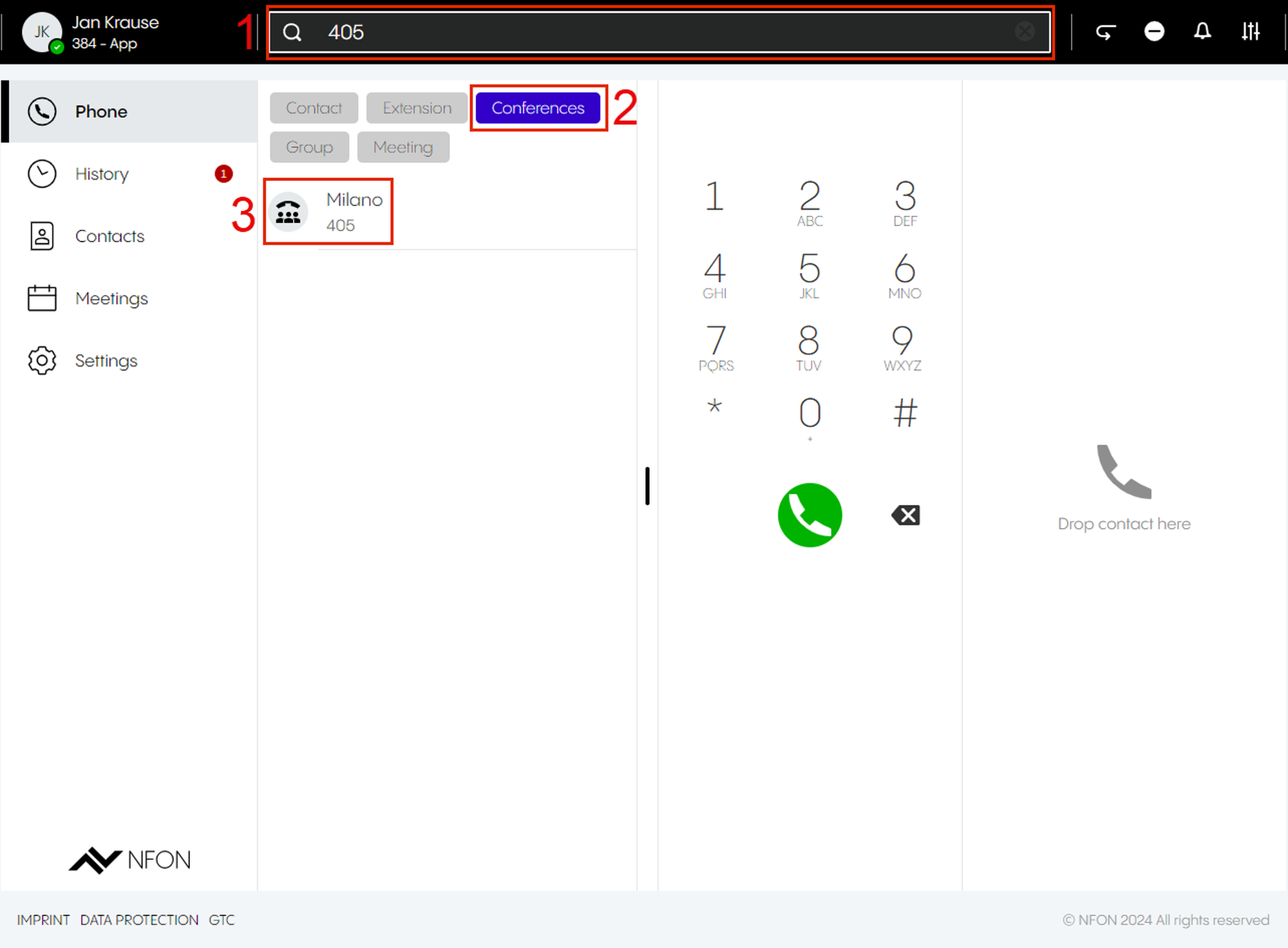
Enter the conference name or extension in the search bar.
⇒ You will see results in the active search, grouped by type and in alphabetic order.
Click Conferences.
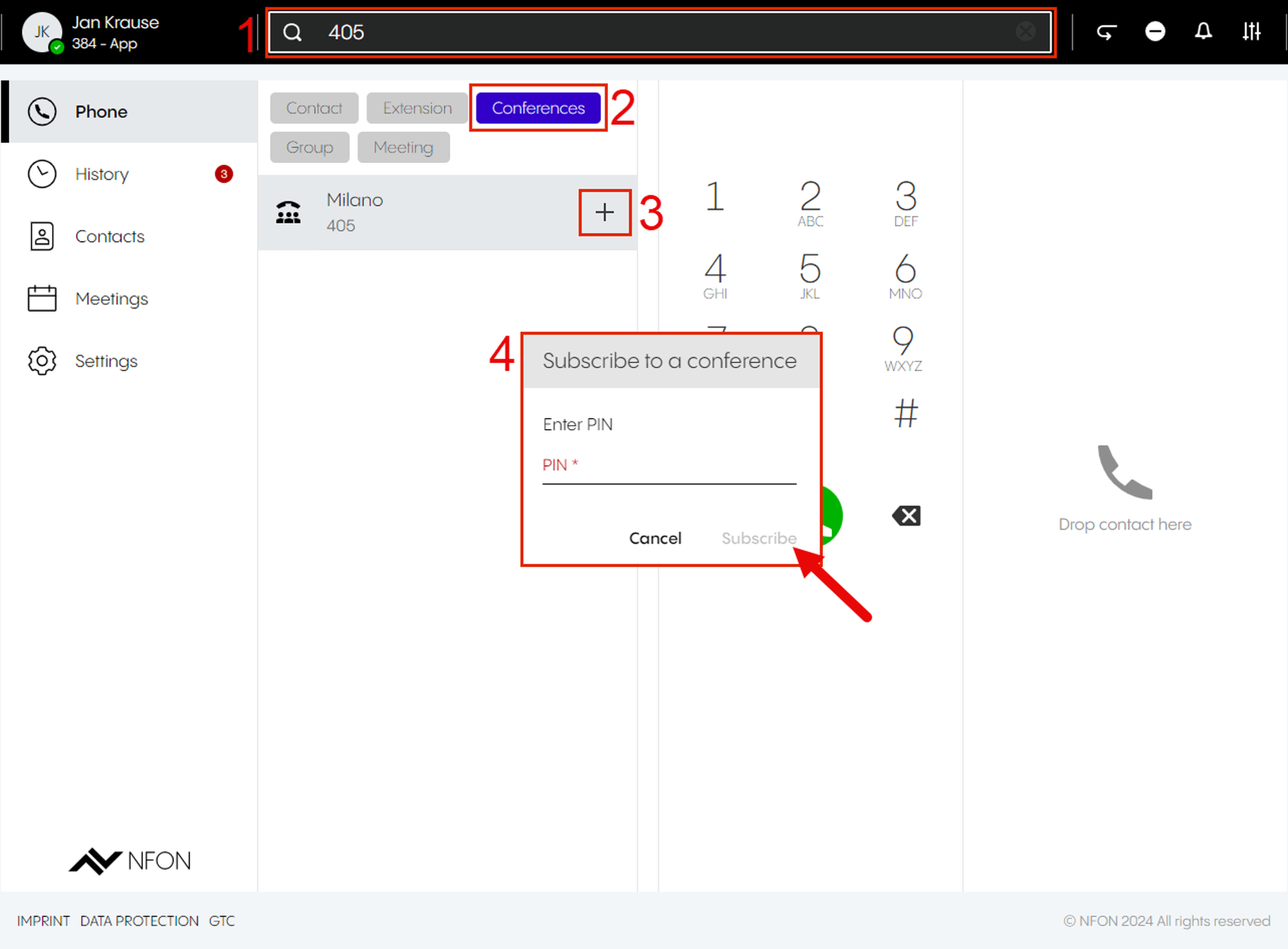
Click on the + button next to the name of the conference.
⇒ A pop-up window will open.
Enter the conference PIN.
Click on Subscribe.
⇒ If it is the first time you have subscribed to a conference, the Conference tab will appear in the menu.
Subscribing to a conference from the conference menu
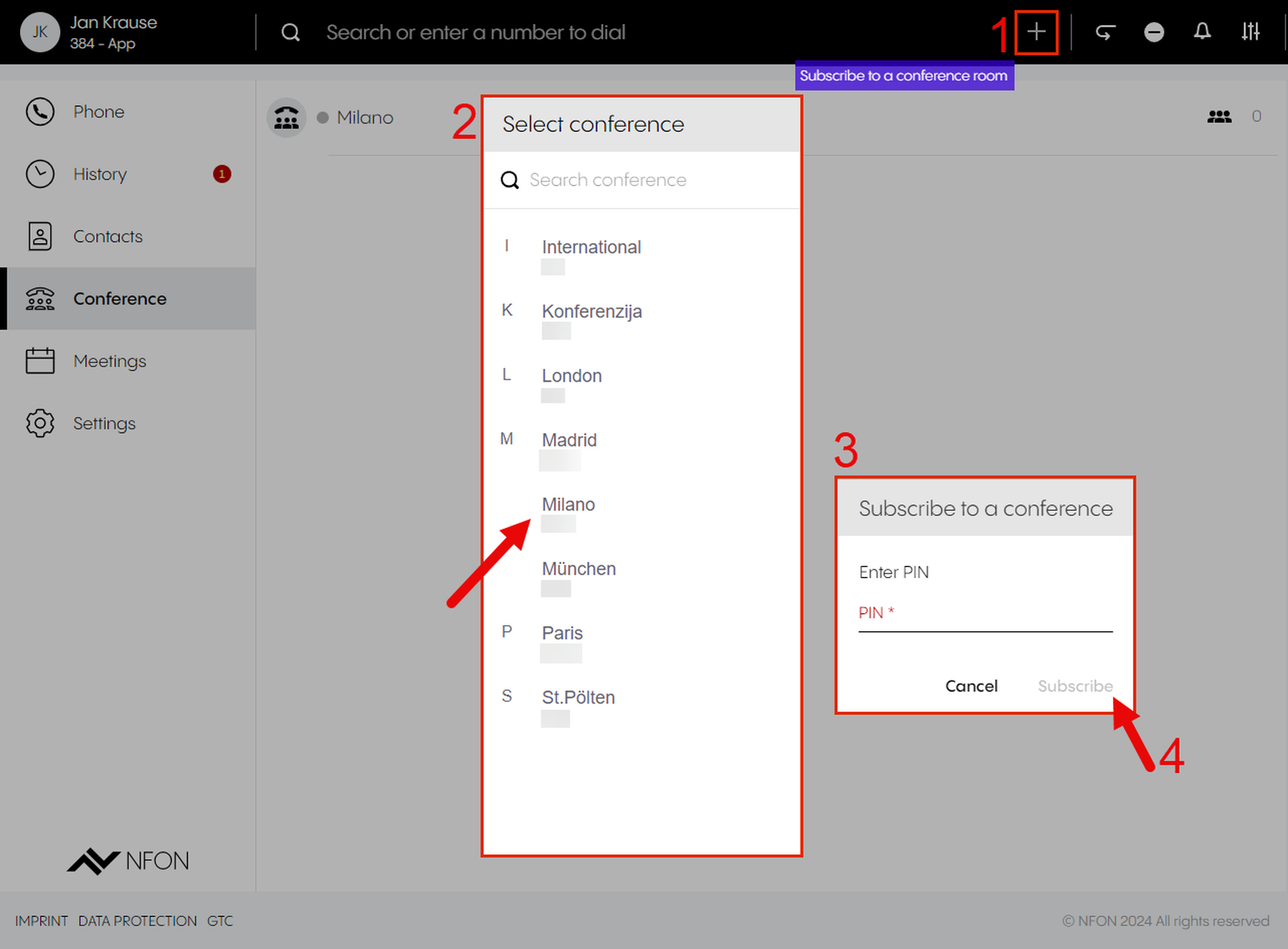
To subscribe to a conference from the Conference menu
Click on the + button.
⇒ The search results will appear in alphabetic order.
Click a conference you would like to subscribe to.
⇒ A pop-up window will open.
Enter the conference PIN.
Click on Subscribe.
Showing conference information
Hover over the conference.
⇒ The conference icons are visible:
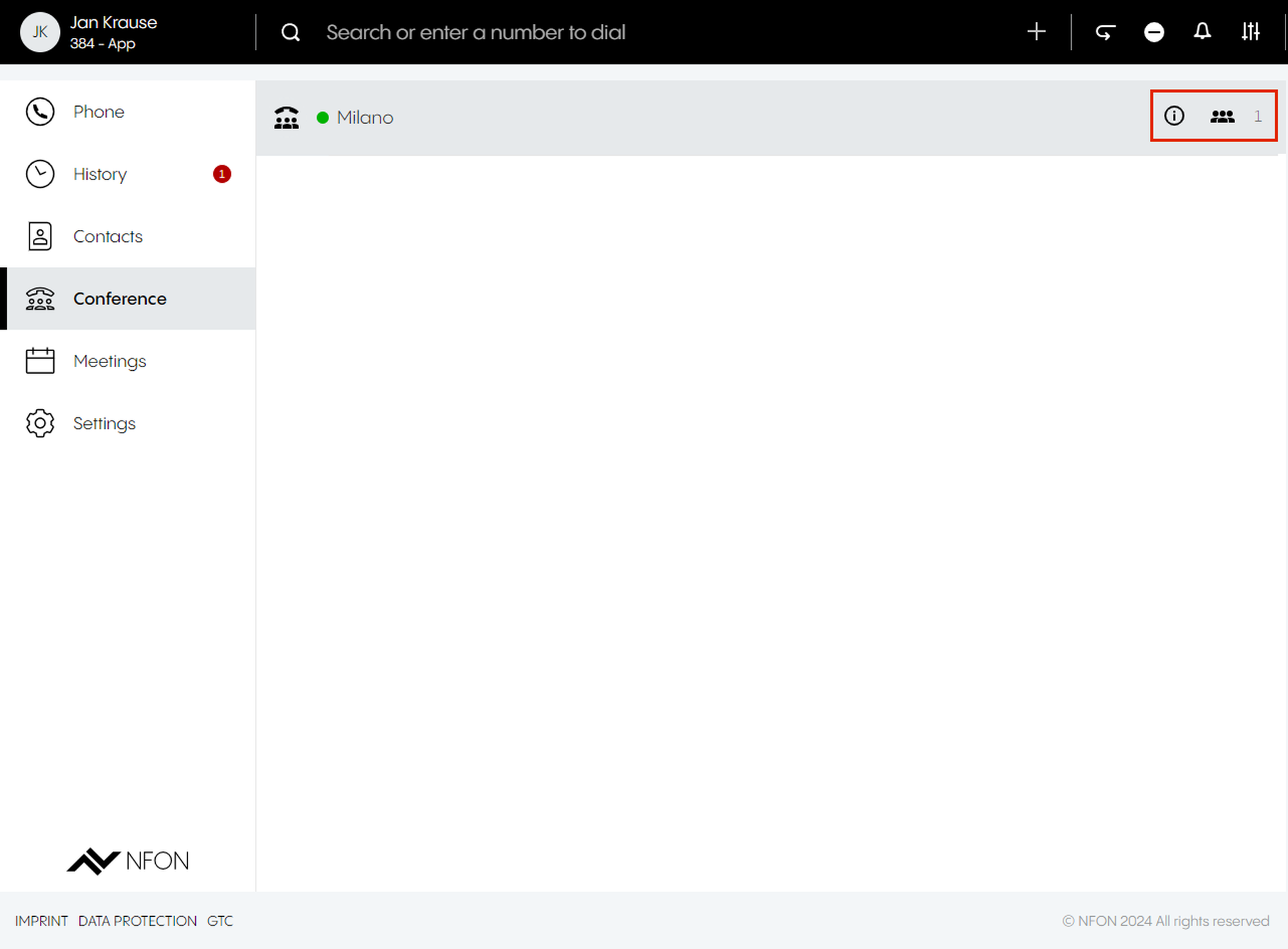
| Conference information | |
| Go to conference | |
| Number of participants |


Conference features
In a conference, a host and participants can:
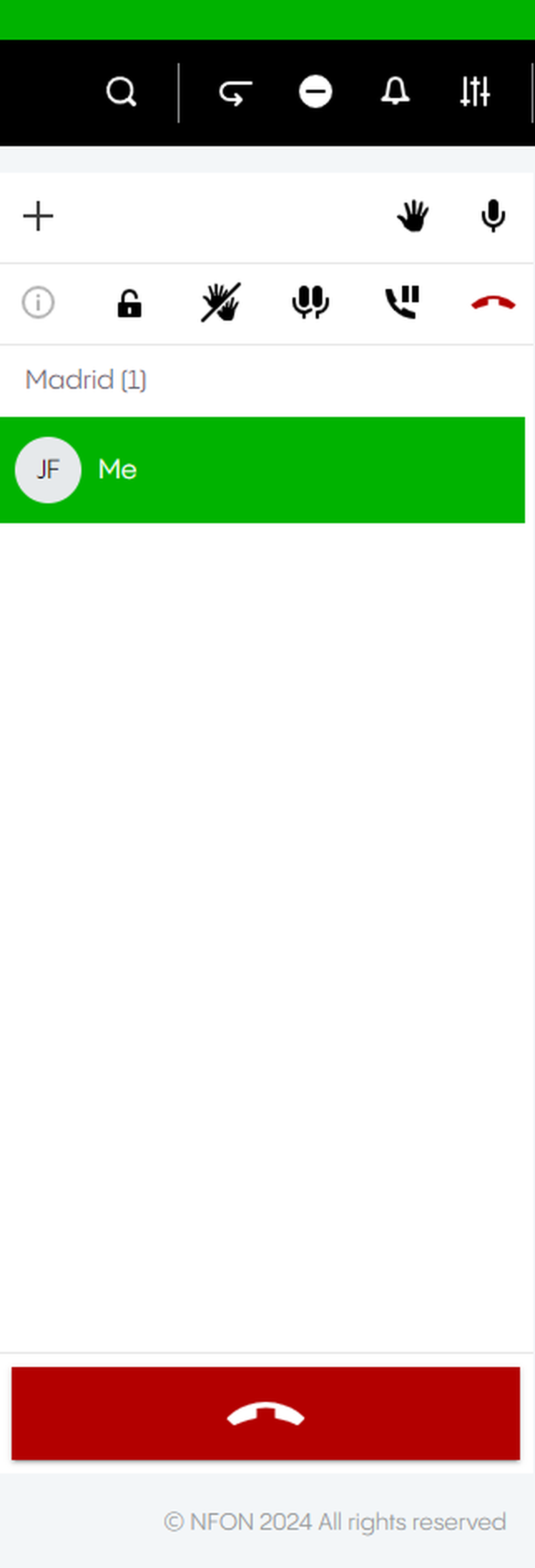
| Add participant |
| Add participant | ||
| Raise hand |
| Raise hand | ||
| Mute |
| Mute | ||
| Mute all | | | ||
| Lock conference | ||||
| Lower all hands | ||||
| Put conference on hold |
| Put conference on hold | ||
| End conference |
| End conference |


