4. Search
Search
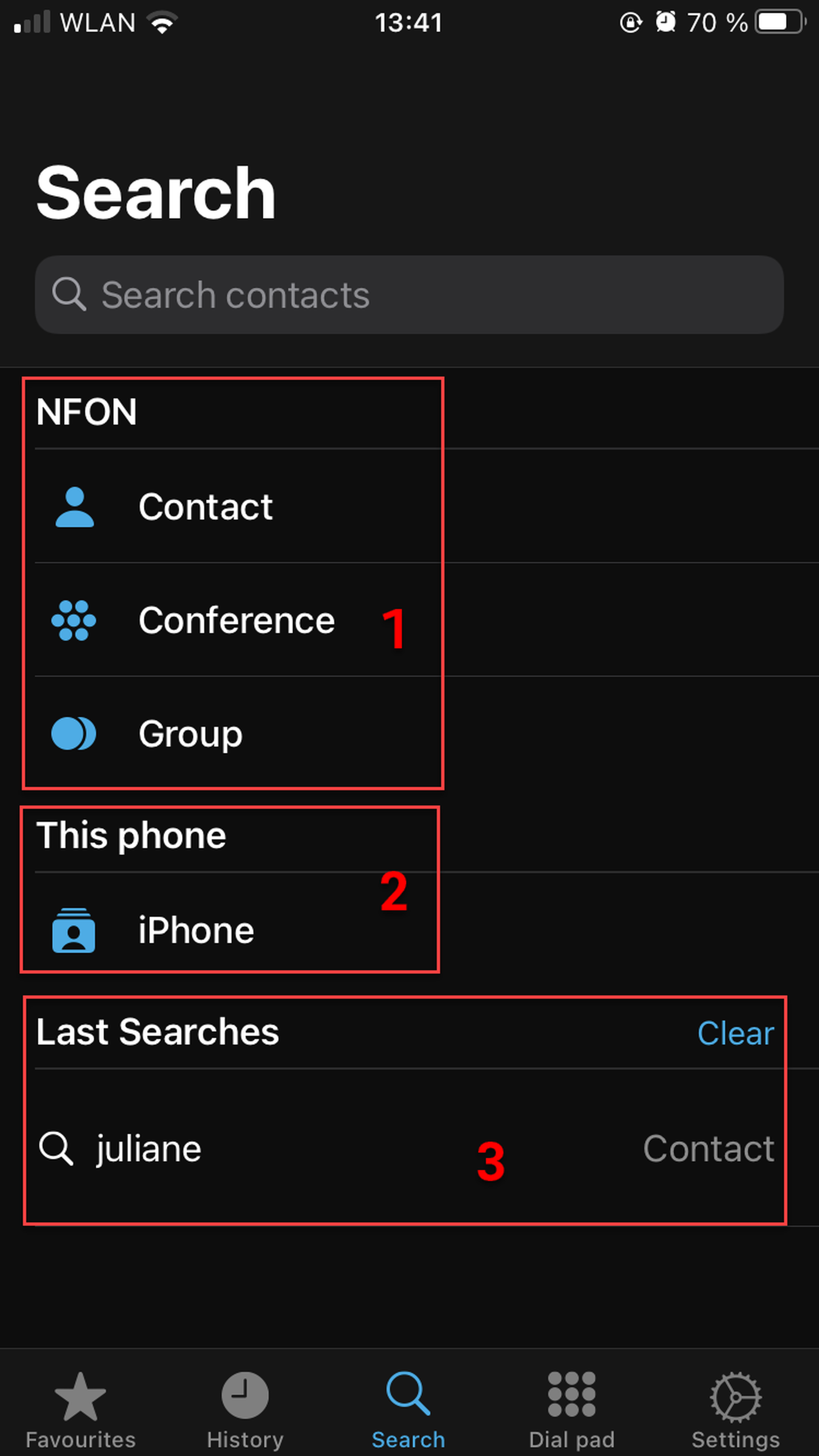
In the Search tab, you can search for dial targets from the PBX as well as your phones contacts.
In this view, you can
Search for contacts, conferences and groups from the PBX. Please note that only the PBX contacts, conferences and groups are searched by default.
Search for contacts on the device you are using (only if you have given the Cloudya app the permission to access local contacts)
Clear last searches (only the last ten search results are displayed)
Search filter
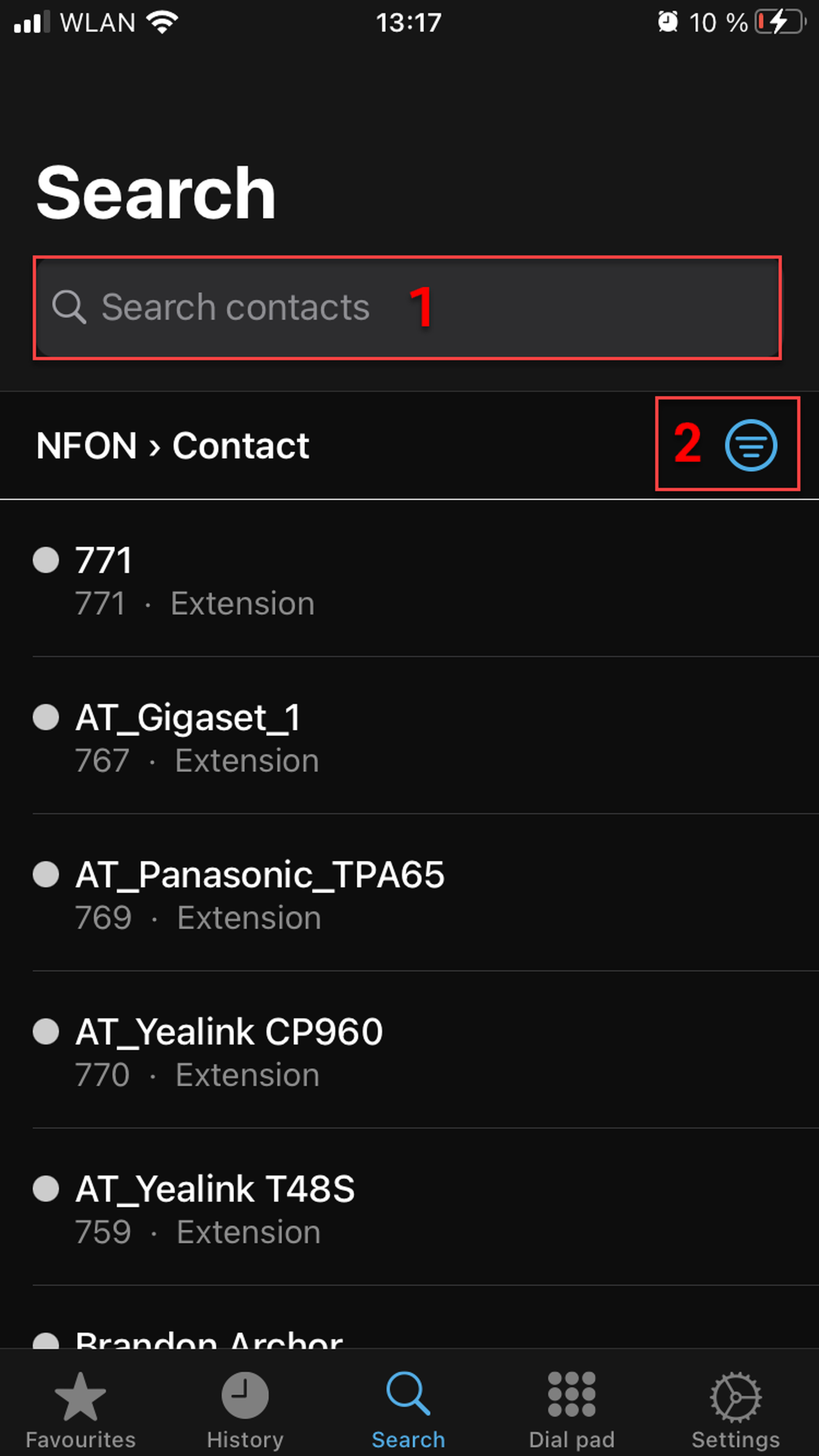
You can perform a search in PBX contacts, conferences and groups or on your phone.
In this view, you can
Start a search by clicking on the looking glass and entering the name or number
Go back to the general search page by clicking on the filter symbol
Searching for conferences
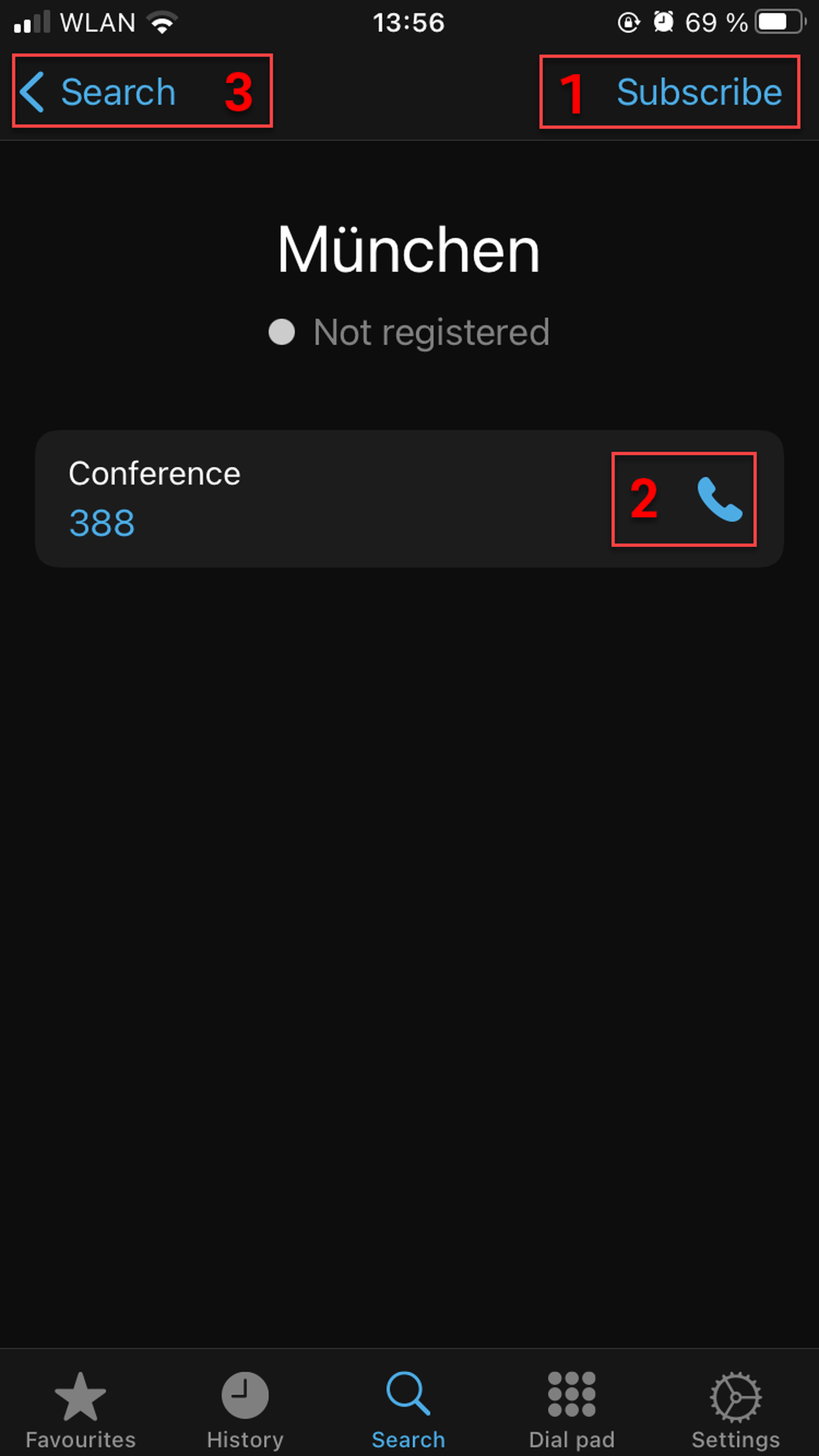
When you find the conference you have been looking for, you can
Subscribe to the conference
Join the conference (PIN required)
Go back to the general search tab