1. Configuring your PBX for Nmonitoring Queues
Checklist: Before configuring an extension for NMQ
Before configuring extensions, make sure the following has been done first.
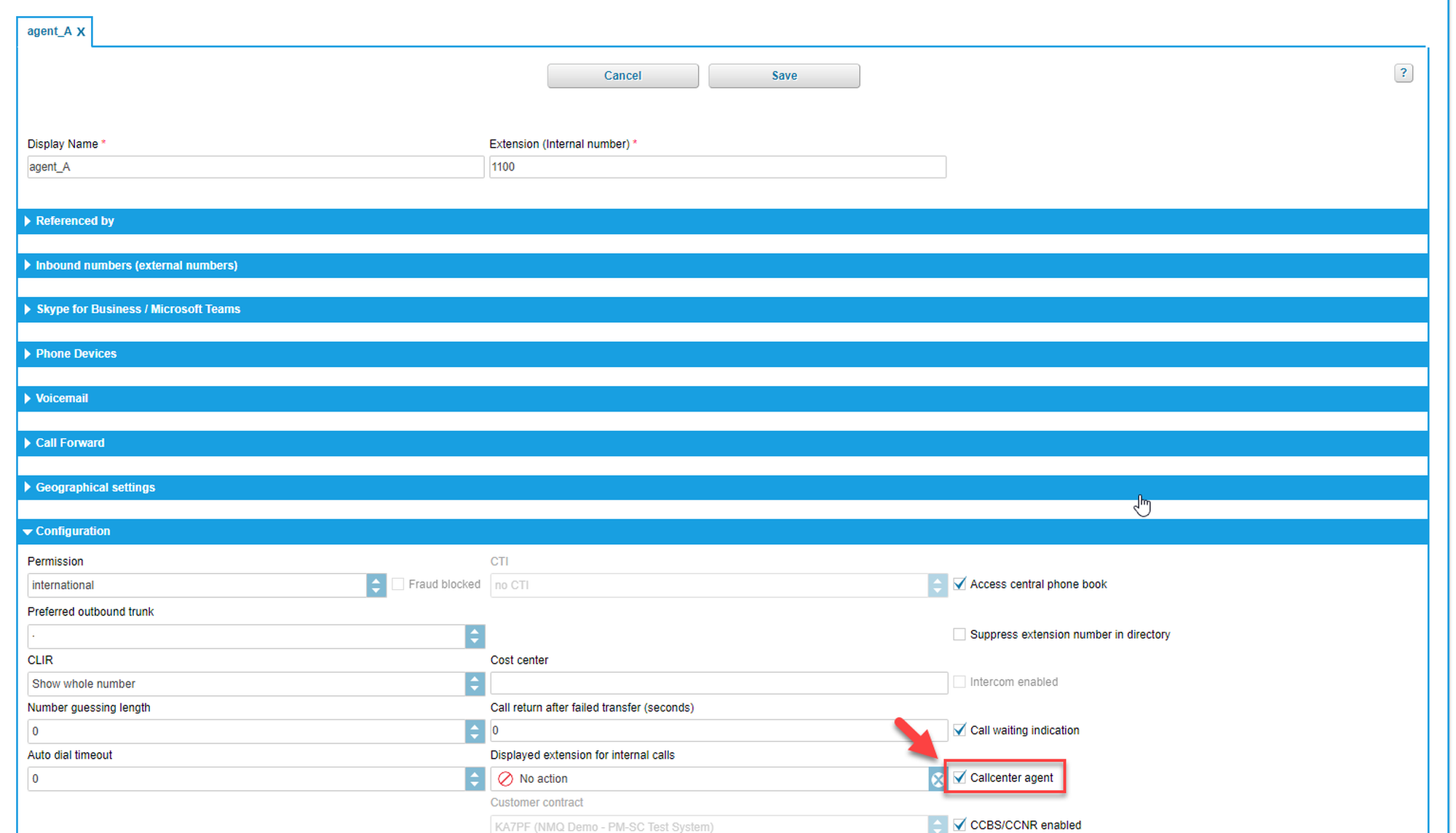
Has the target extension been enabled as a call center agent?
In the Administration portal, under Targets > Configuration, make sure the Callcenter agent box is checked.
If it's not checked, click check the box.
Click Save for the changes to take effect.
Bear in mind that enabling additional extensions for NMQ will affect the amount charged for NMQ according to your contract.
Has your favourite device been set as the primary device?
If there are multiple options, you have to define the primary device for your extension. There are three ways to do it:
in the Administration portal of your PBX,
by dialling *55 on the device you want to set as primary device,
via the user app of your PBX.
How will the agents be logging in and out?
For queues configured for NMQ, the following methods to log in and out are compatible with NMQ:
via the NMQ agent page.
via the phone,
via the Cloudya Web app,
via star codes.
Bear in mind that using star codes will reset penalties for queues.
Star codes for queues:
*84+nnnn: Become a member of a queue with the service ID nnnn
**84+nnnn: Leave the queue with the service ID nnnn
For skills configured for NMQ, the following methods to log in and out are compatible with NMQ:
via the Administration portal
via star codes (skill levels will remain intact when using star codes).
Star codes for skills:
*87: Subscribe to a skill set
**87: Unsubscribe from a skill set
Note
Do not use your device DND function to pause or log off as an agent. NMQ doesn't recoginse the device status.
Queue Service | Skill Service | |
Members login/logout | Per queue | All or nothing |
Login via phone | Yes | Yes |
Login via Cloudya Web app | Yes | No |
Login via XML menu | Yes | No |
Answering priority | Penalty | Skill level |
Device Status | NMQ Availability |
Primary device is on a call | Not available |
Primary device is ringing | Not available |
Primary device on hook | Available |
Device other than primary is on a call | Available |
Primary device is on DND | Available |
Primary device is not registered | Available |
Introduction to the Cloudya PBX ACD
Automatic Call Distribution (ACD), or call queuing, provides a way for a telephony system to queue up incoming calls (internal and/or external). The method for distributing calls with NFON is always based on the following rule: First call in, first call out.
An inbound queue is when the telephone system routes incoming calls to deliver those calls to queue members who are shown as ready (or open) in a pre-programmed sequence. In contrast, an outbound queue is formed to collect outbound call statistics for the queue members, to generate call analytics information.