2. Favourites & Conferences
2.1 Favourites
Once logged in, the initial screen is showing your Favourites which matches the function keys of your extension.
In this view, you can
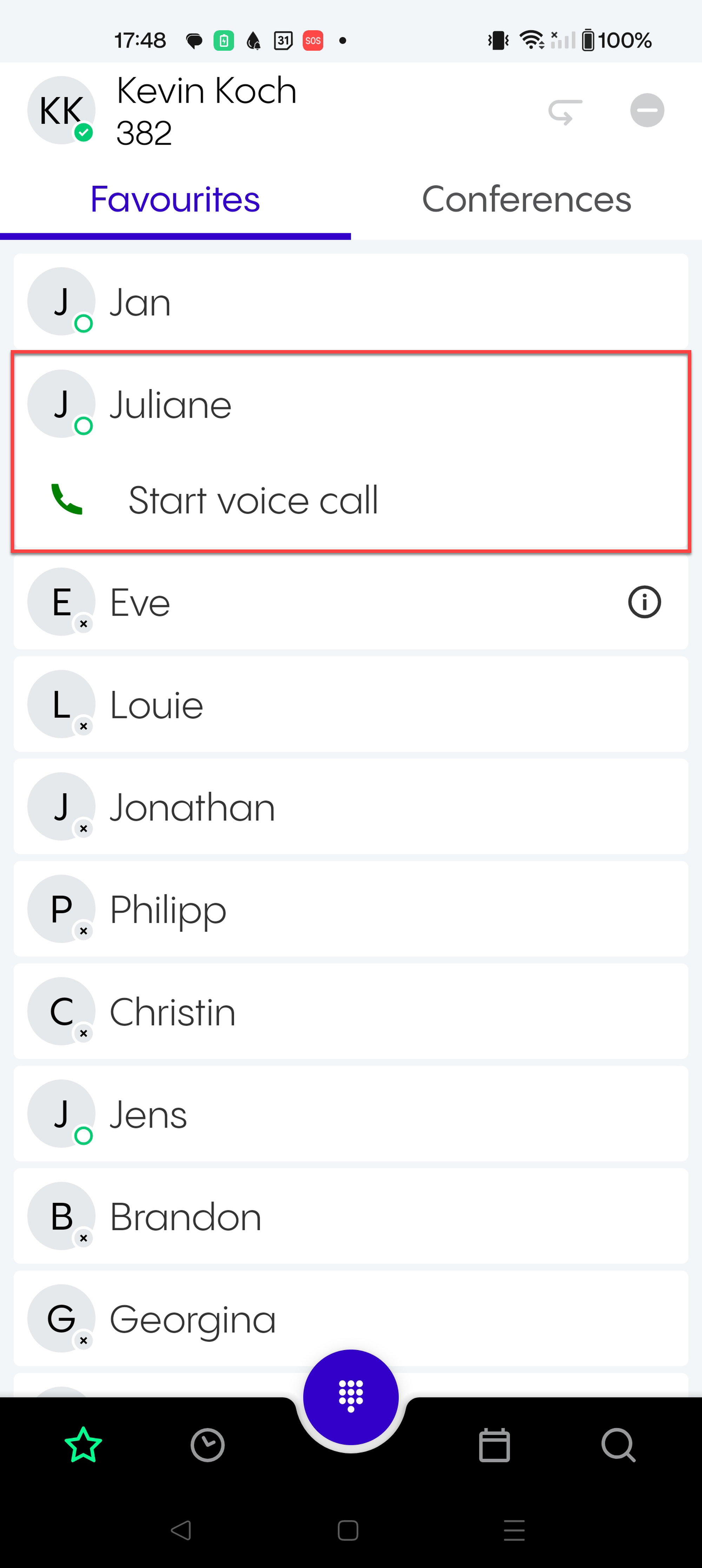
call someone from the list and
see their BLF status
Changing your Favourites
Please be aware that you can't change your Favourites list within the mobile app. However, you can do so using the desktop or web app (go to Settings ⇒ Adding a function key ).
Overview
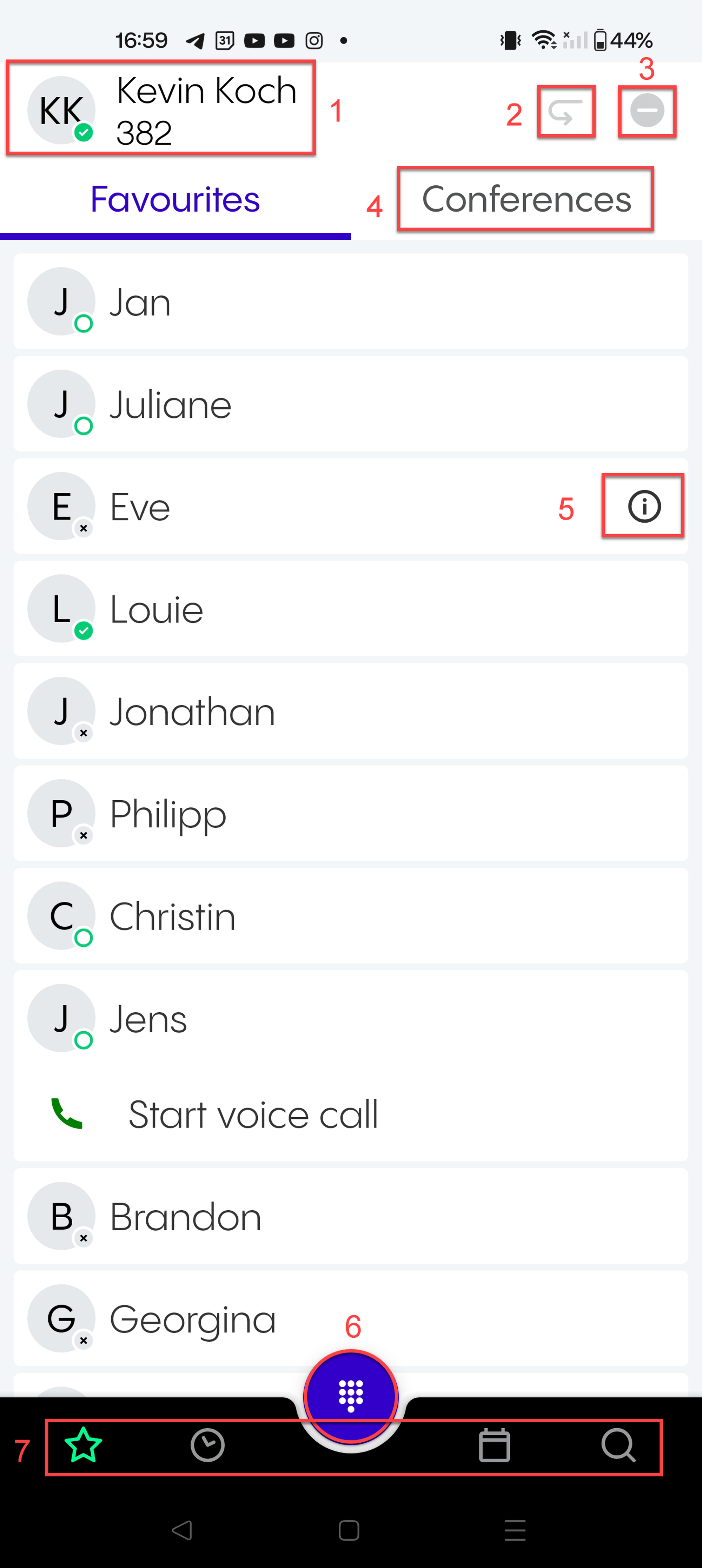
In this view, you can:
Go to Settings and/or Log out. To do so, tap on the circle with your initials in the upper left-hand corner.
Go to Call forwarding profiles
Go to DND selection
Switch to Conferences
See that a user is in your pick-up group
Open the Dial pad.
Switch to Calls, Meetings or Search.
2.2 Conferences
In this view, you can
join a subscribed conference (by calling the conference),
subscribe to a conference,
and see detailed information about the conference.
Overview
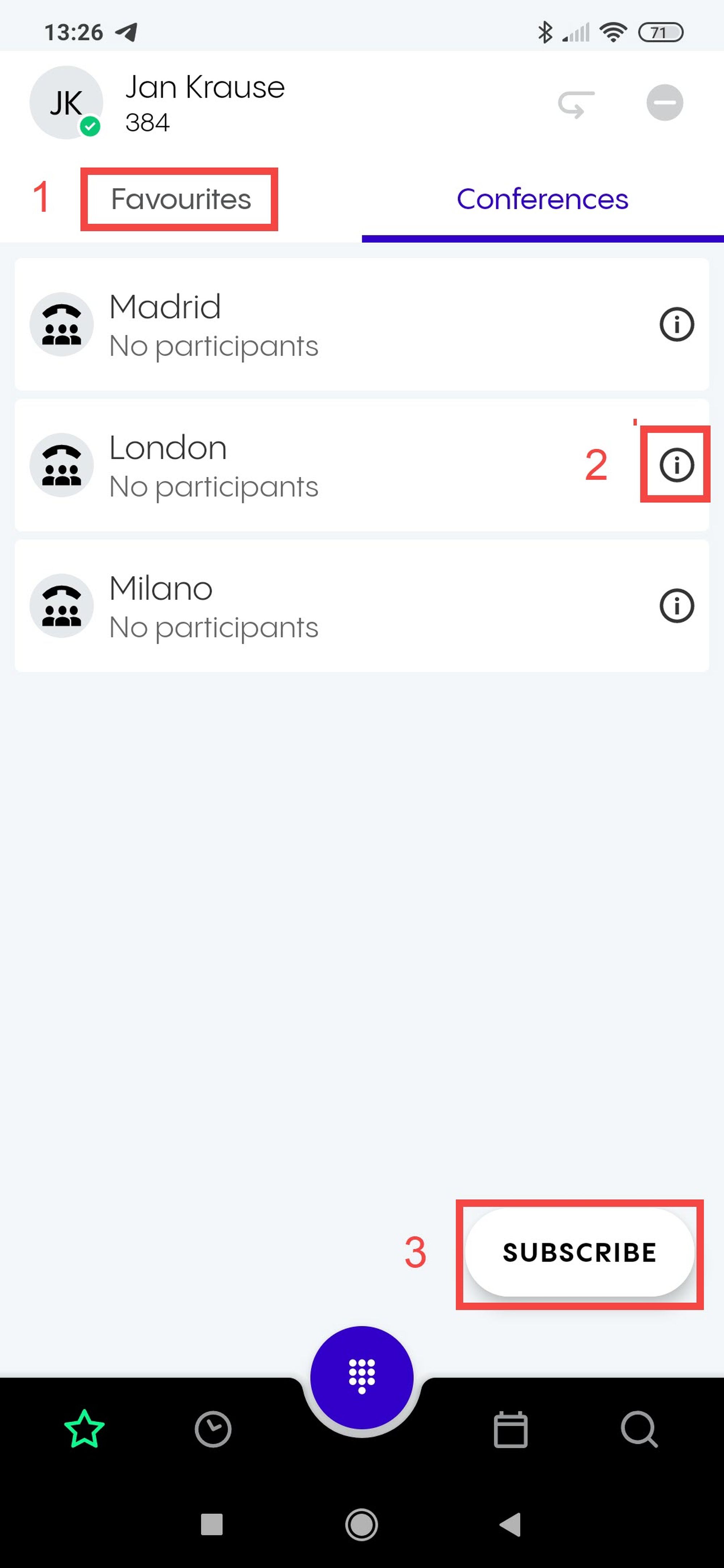
In this view, you can:
Switch to other parts of the app (here only Favourites is highlighted), see Favourites .
See detailed information about a conference.
Subscribe to a conference.
Subscribing to a conference
To subscribe to a conference:
1. Tap Subscribe in the Conferences view.
2. Search for a conference.
3. Tap on a conference.
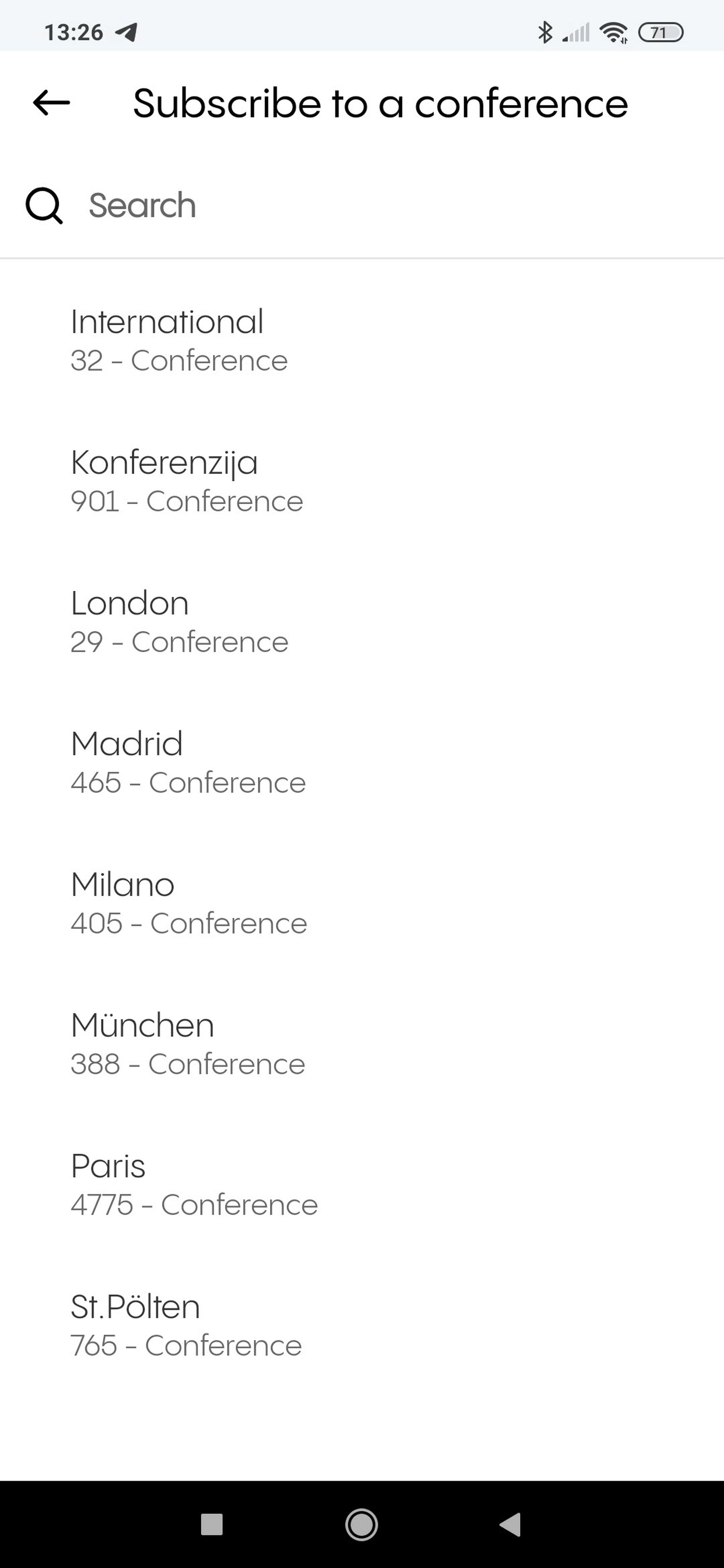
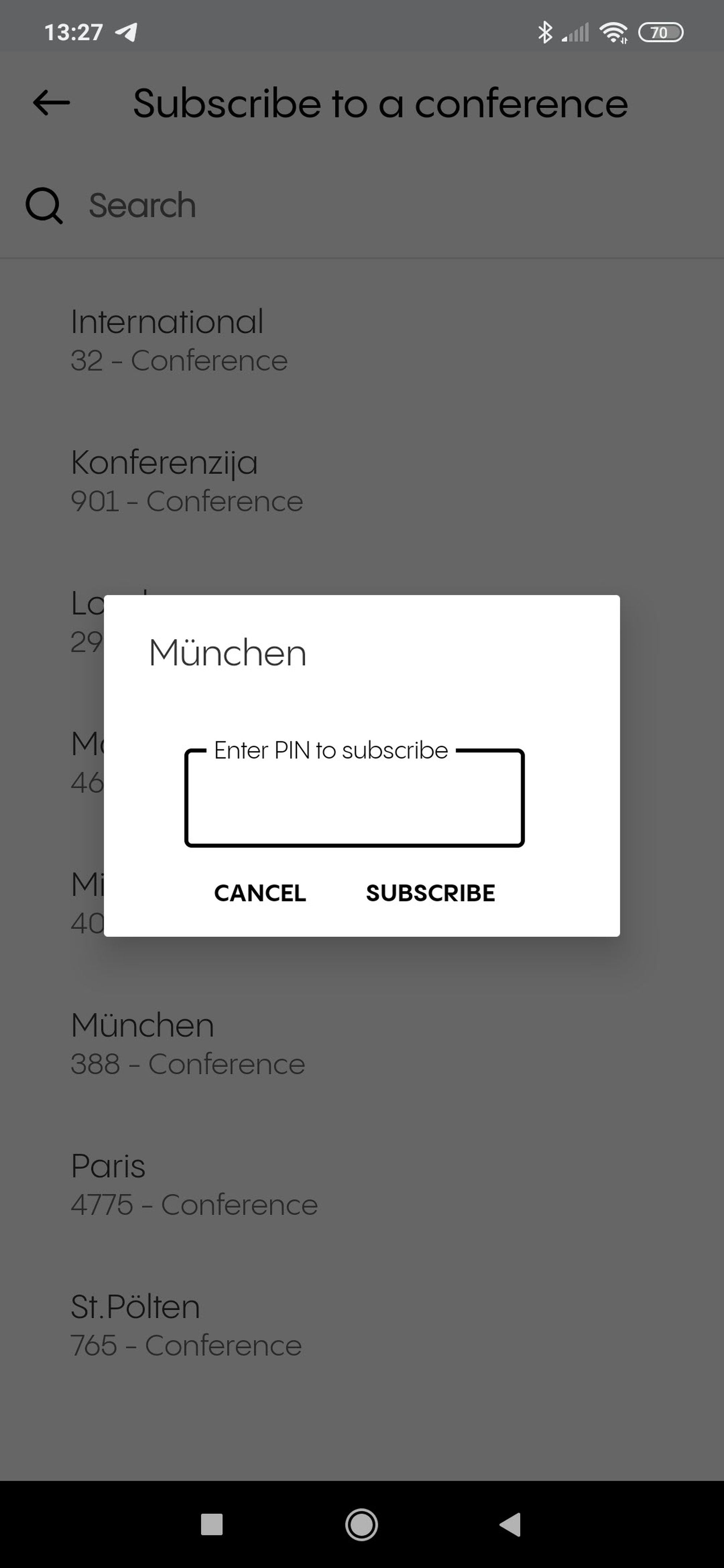
3. Enter the PIN for the conference.
4. Tap on Subscribe.
Showing detailed information about a conference
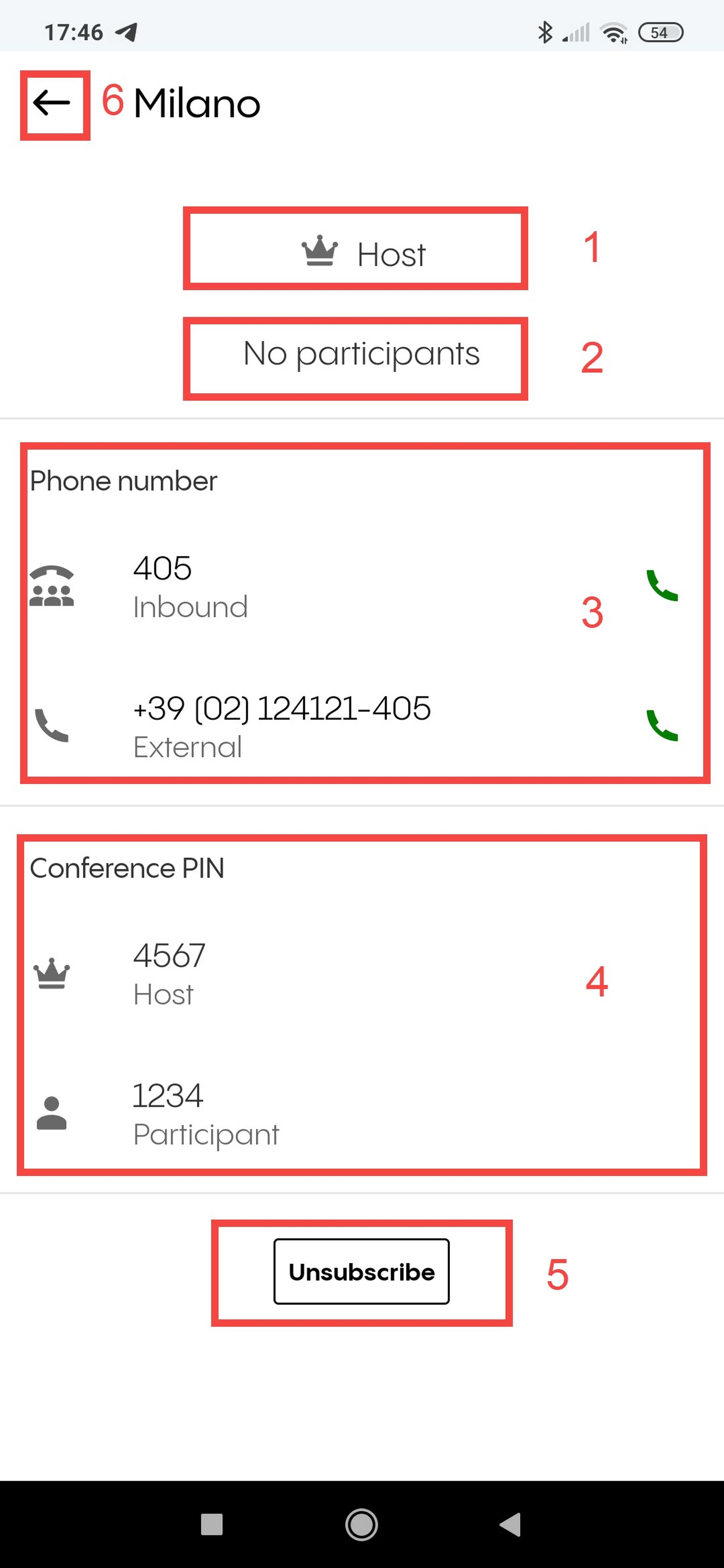
If you click on the info button next to a conference name, you can see detailed information about a conference.
In this view, you can
See if you are a host or participant.
See the active members of the conference.
See the internal and external phone numbers to dial into the conference.
See the host and participant PINs. Please note that you will only see the host PIN if you are the host.
Unsubscribe from the conference.
Go back to the Conferences view.