1. Dialing options
1.1. Clipboard dial
One option to dial a telephone number via NCTI standard / CRM is using the Clipboard Dial function. With this function you can call someone by marking a telephone number with your mouse from the Internet browser.
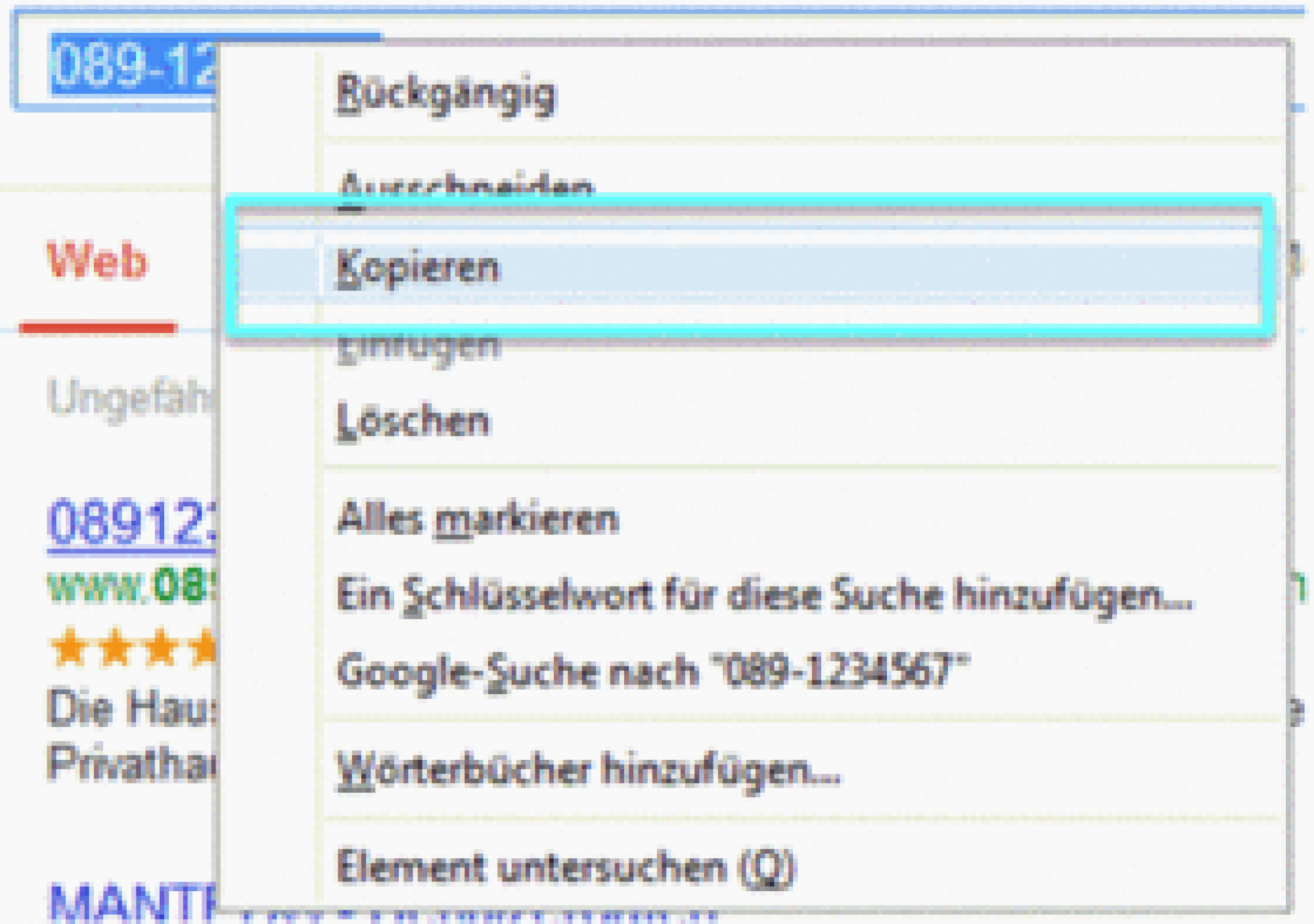
-After marking the telephone number, click on Copy using a right click.
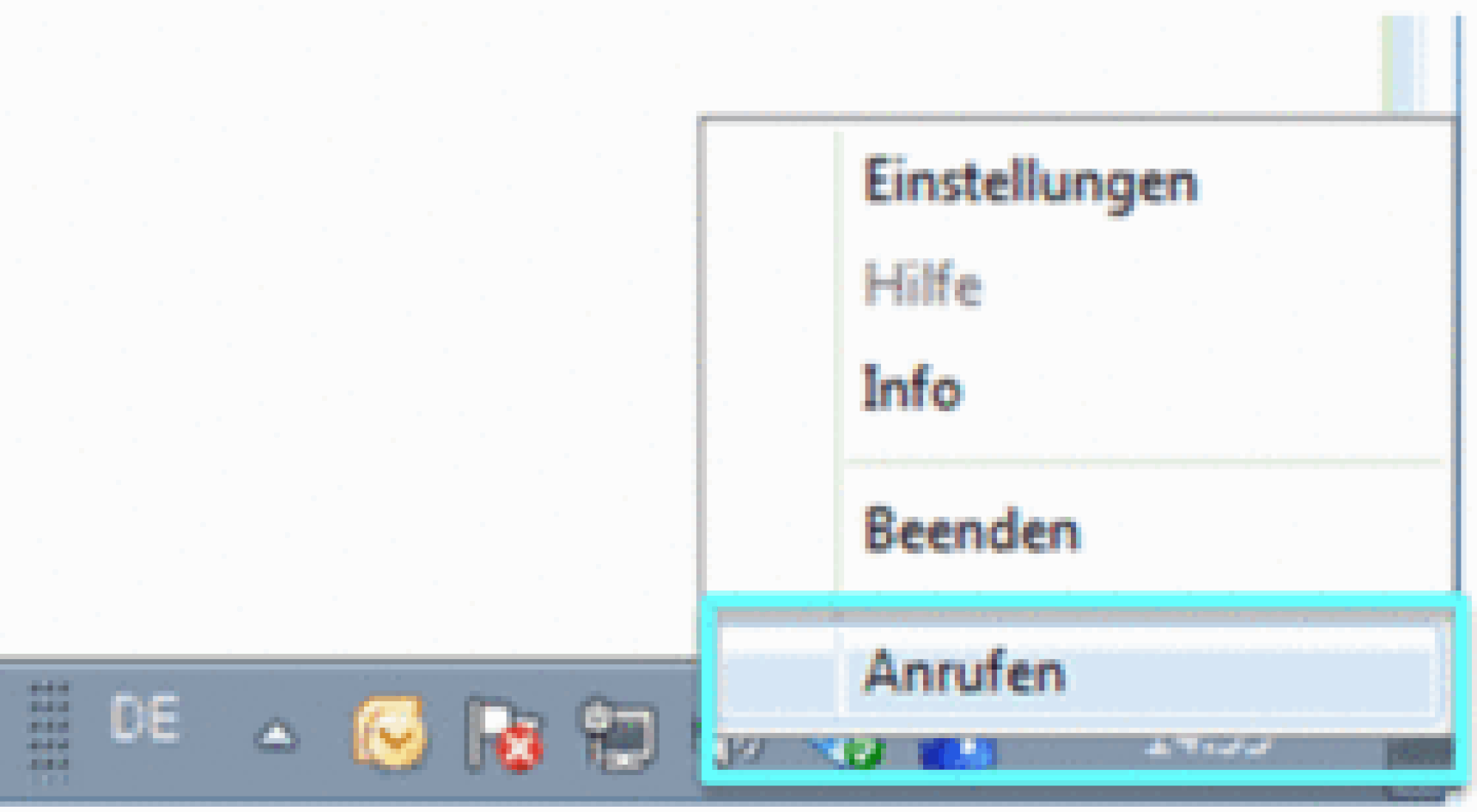
-Click on the symbol  with a right click and select Call.
⇒The telephone now builds up a connection to the telephone number.
1.2. Hotkey Dial
The Hotkey Dial function enables you to dial numbers marked on your computer or end a conversation via a hotkey.
-Click on the symbol in order to access the client's administration surface. The symbol is located in the menu bar on your computer.
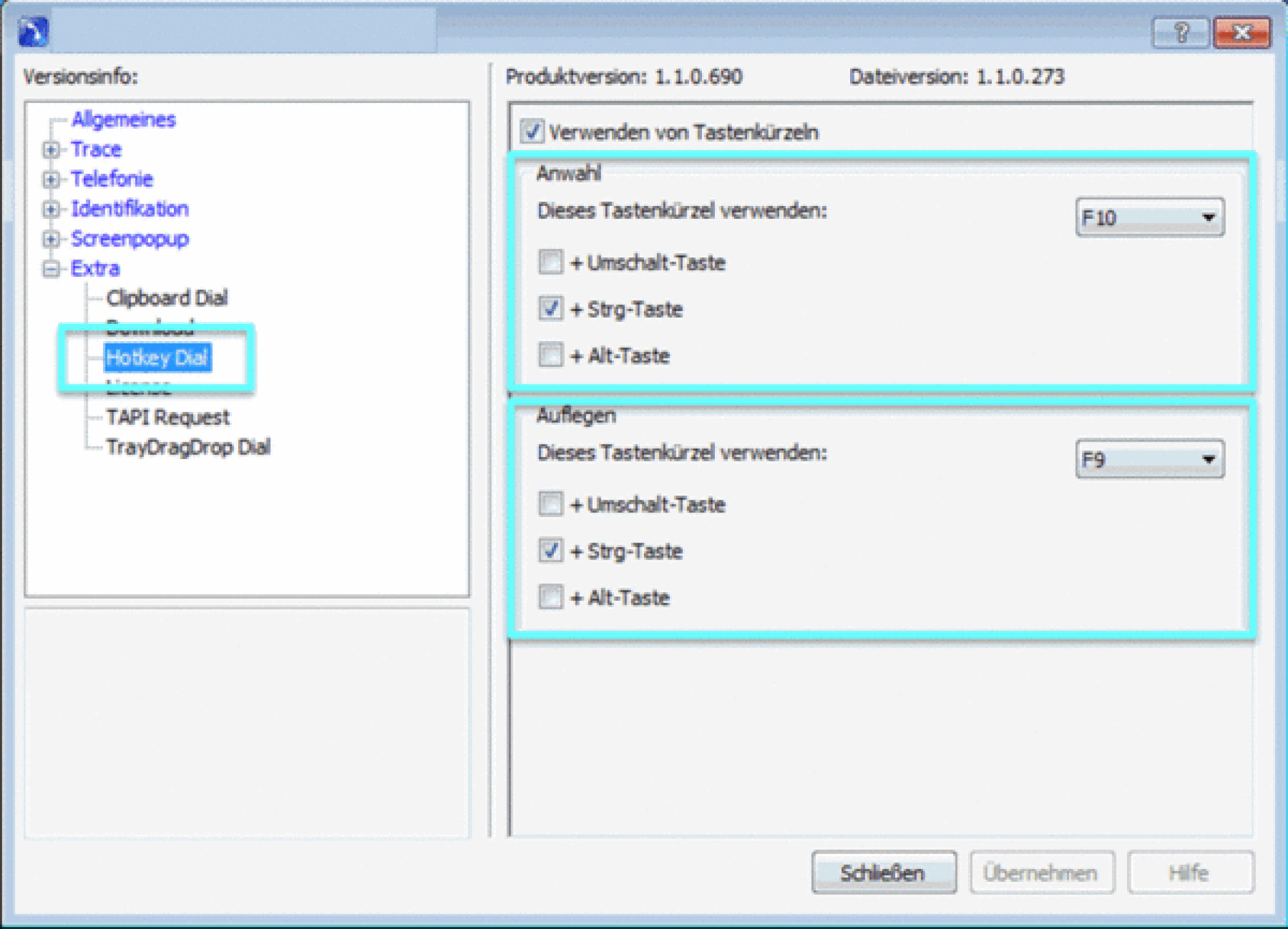
-When in the menu, click Extra and choose Hotkey Dial.
Dial
Tip
On default dialing a number uses the hotkey CTRL + F10.
-You can choose between the keys F1 and F12 using the dropdown menu. Further it is possible to select either the shift key, CTRL or ALT key as second hotkey.
Example:
Select the telephone number e.g. in your browser. By pressing the hotkey which has been configured in advance, your telephone dials the selected phone number.
-In order to save the settings, click on save.
Hang Up
Tip
On default hanging up uses the hotkey combination CTRL + F9.
-Click on the dropdown menu. You can choose between the keys F1 and F12 using the dropdown menu. Further it is possible to select either the shift key, CTRL or ALT key as second hotkey.
Example:
If you are in an active conversation and want to terminate the conversation using a hotkey, press the preconfigured hotkey combination. Your system telephone will now terminate the active call.
- Save your settings by clicking on Save.
Tip
Hanging up via hotkeys is not yet possible for Mitel (formerly AASTRA) system telephones.
1.3. Drag & Drop Dial
To perform a call using Drag & Drop, take the following steps:
-Mark the desired telephone number with your mouse cursor .
-Click onto the telephone number and hold.
-Drag the number with the mouse onto the NCTI symbol in the menu bar.
⇒Your telephone now starts dialing the selected telephone number.